1
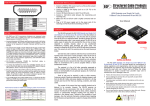
REAR PANEL — PT-E-HD50, receiving unit (RX) DIP Switch: PIN#1: Setup the RS-232 mode for serial communication channel. PIN#2: For Firmware Update RS-232: Connect to serial port device with a DSUB-9 male-male or male-female cable here RJ45: Plug in a Cat-5/5e/6 cable that needs to be linked to the transmitting unit PT-E-HD50-TX. LED: TX/RX link indicator DIP Switch Position Description TX & RX ON [] PIN#1 OFF [] PIN#2 TxD: The 2nd pin of RS-232, which is in charge of sending data RxD: The 3rd pin of RS-232, which is in charge of receiving data TxD: The 3rd pin of RS-232, which is in charge of sending data RxD: The 2nd pin of RS-232, which is in charge of receiving data ON [] Firmware Update OFF [] Normal 1.5 Installation 1. Connect a HDMI or DVI source (such as a Blu-ray Disc player) to the transmitting unit PT-E-HD50-TX. 2. Connect a HDMI or DVI display (such as a LCD TV) to the receiving unit PT-E-HD50-RX. 3. Connect IR Blaster/Receiver to both TX and RX units. 4. Connect USB cable to PC/Laptop 5. Connect a Cat-5/5e/6 cable between the transmitting and receiving units. 6. Make sure this Cat-5/5e/6 cable is tightly connected and not loose. 7. Plug in 24V DC power supply unit to the power jack of the transmitting unit PT-E-HD50-TX. www.purelink.de 6