1
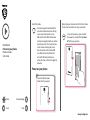
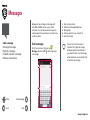
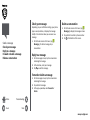
Check your message
Depending on your notification settings, your phone
plays a sound, vibrates, or displays the message
briefly in the status bar when you receive a new
message.
• On the home screen or list menu, tap
Messaging. To check a message, tap a
conversation.
Send a message
Check your message
Reply to a message
Forward or delete a message
Delete a conversation
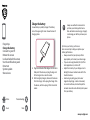
Delete a conversation
1. On the home screen or list menu, tap
Messaging to display the messages screen.
2. Tap and hold a contact or phone number.
3. Tap at the bottom of the screen.
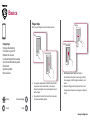
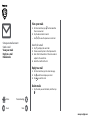
Reply to a message
1. On the messages screen, tap the conversation
containing the message.
2. In the text box, enter your message.
3. Tap
to send the message.
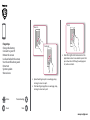
Forward or delete a message
1. On the messages screen, tap the conversation
containing the message.
2. Tap and hold a message.
3. In the pop-up window, select Forward or
Delete.
Menu
Back
Troubleshooting
Next
www.prestigio.com