1
4
4.3
Screen Adjustment
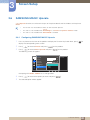
PIP/PBP
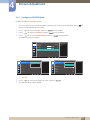
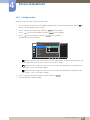
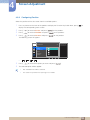
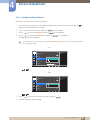
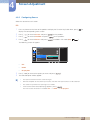
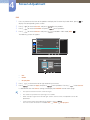
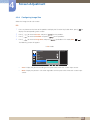
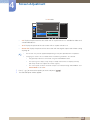
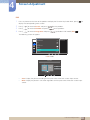
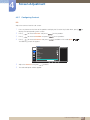
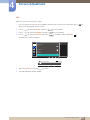
The PIP (Picture in Picture) function separates the screen into two parts. One source device is displayed
on the main screen at the same time the another source device is displayed in inset windows.
The PBP (Picture by Picture) function separates the screen in half displaying output from two different
source devices simultaneously on the left and right sides of the screen.
z
Compatible with Windows7 and Windows8.
z
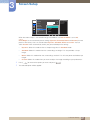
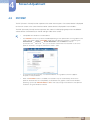
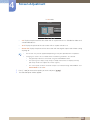
The PIP/PBP function may not be available depending on the specifications of the graphics card
used. If the screen is blank in PIP/PBP mode when the optimum resolution is selected, go to
Control Panel → Display → Screen Resolution and click Detect on the PC.
(Instructions are based on Windows 7.) If the screen is blank when the resolution is set to the
optimum resolution, change the resolution to 1280 x 1024.
z
To maximize the picture quality, it is recommended to use a graphics card that supports
2K (2560 x 1440) resolution.
z
When the PIP/PBP function is enabled, the resolution may not automatically switch to the
optimum resolution due to a compatibility issue between the graphics card and the Windows
operating system. Set PIP/PBP Mode to Off or manually change the resolution to the optimum
resolution using the Windows interface.
4 Screen Adjustment
56