1
Welcome to the World of TRAKTOR KONTROL S4!
The TRAKTOR KONTROL S4 Documentation
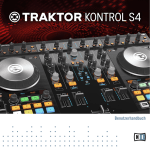
First read the Setup Guide. Then proceed with this TRAKTOR KONTROL S4 Manual to get
more familiar with TRAKTOR KONTROL S4!
TRAKTOR KONTROL S4 Manual
After having read the Setup Guide and followed its instructions, your TRAKTOR KONTROL S4
system should be up and running. The next step is to read this TRAKTOR KONTROL S4 Manual. The TRAKTOR KONTROL S4 Manual first gives you a practical approach to TRAKTOR KONTROL S4. Then, it provides you with a detailed reference of your TRAKTOR KONTROL S4 hardware controller along with extra information (solving common issues, specifications, etc.). The next section will give you an overview of the manual content.
TRAKTOR PRO Getting Started Guide
The Getting Started guide gives you a practical approach to the TRAKTOR software. Here you
will learn about additional features of TRAKTOR that extend beyond the TRAKTOR KONTROL S4 controller.
TRAKTOR 2 Manual
For in-depth information on all features provided by the TRAKTOR software, please refer to the
TRAKTOR 2 Manual. It is available as a PDF file in the Documentation subfolder of the TRAKTOR 2 installation folder.
1.2.2
In This Manual
What you are reading now is the TRAKTOR KONTROL S4 Manual. This manual is structured as
follows:
▪ The first part is this introduction.
▪ Chapter ↑2, TRAKTOR KONTROL S4 Overview quickly introduces you to the TRAKTOR KONTROL S4 user interface and its main areas, both on the hardware side and software side.
▪ Chapter ↑3, Importing Your Music shows you how to import your own music into the powerful Track Collection of TRAKTOR, so that you can use all TRAKTOR KONTROL S4 features with your own tracks.
Traktor Kontrol S4 - Manual - 12