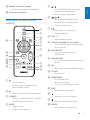
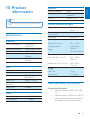
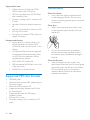
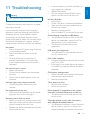
1
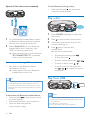
Option 2: Pair and connect manually
15
EQUALIZER
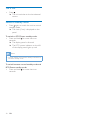
To clear Bluetooth pairing history:
• Press and hold both on the remote
control for three seconds.
PROGRAM
Play a disc
15
EQUALIZER
PROGRAM
Philips FX15
1
1
2
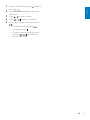
On the Bluetooth enabled device, search
for Bluetooth devices that can be paired
(see the user manual of the device).
2
3
Select 'Philips FX15' on your Bluetooth
enabled device and if necessary input
'0000' as the pairing password.
»» After successful pairing and connection,
'BT CONNECTED' (BT connected)
scrolls on the screen once.
4
Stream music through Bluetooth
•
Play audio on the Bluetooth device
connected to the unit.
»» Audio streams from your Bluetooth
enabled device to the unit.
Tip
Press SOURCE repeatedly to select the
disc source.
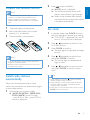
Press
Press again to close the disc
compartment.
»» Play starts automatically.
• To pause/resume play, press
• To select another track, press
• To select an album, press
EN
/
/
.
• To search within a track, press and
hold
/ , then release to resume
normal play.
Play from USB
15
(Audio Video Remote Control Profile), you can use
some basic operation buttons of the unit (such as the
play/pause, stop and previous/next buttons) to control
music play.
12
.
• To stop play, press .
•• If the Bluetooth enabled device also supports AVRCP
To disconnect the Bluetooth-enabled device:
• Press and hold
on the remote control
for three seconds.
• Deactivate Bluetooth on your device; or
• Move the device beyond the
communication range.
to open the disc compartment.
Load a disc onto the disc tray, with the
printed side facing up.
EQUALIZER
PROGRAM
Note
•• Make sure that the USB device contains playable audio
contents in supported formats. The NTFS file format is
not supported.
•• A USB hub is not supported.
•• Some card readers may not be supported.
.