1
4Calls
Note
•• The talk time of your current call is displayed on the
call timer.
•• If you hear warning tones, the phone is almost out of
Note
•• When the power fails, the phone cannot access
battery or out of range. Charge the battery or move
the phone close to the base station.
emergency services.
Tip
•• Check the signal strength before you make a call or
when you are in a call. (see 'Check the signal strength'
on page 10)
•• When the handset rings or when the handsfree is
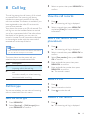
You can make a call in these ways:
• Normal call
• Predial call
• Call through the speed dial key
You can also make a call from the redial list (see
'Redial a call' on page 21), phonebook list (see
'Call from the phonebook' on page 17) and call
log (see 'Return a call' on page 19).
or
2
12
Note
•• The caller ID service is available if you have registered
to the caller ID service with your service provider.
Tip
appears.
.
Dial the phone number.
»» The number is dialed out.
Turn off the ringer of an incoming call
»» The duration of your current call is
displayed.
When the phone rings, press REDIAL/C.
End a call
Predial call
1
activated, keep the handset away from your ear to
avoid ear damage.
•• When there is a missed call, a notification message
Normal call
Press
When there is an incoming call, the phone rings.
Press or
to answer the call.
Warning
Make a call
1
2
Answer a call
Dial the phone number.
• To erase a digit, press REDIAL/C.
• To enter a pause, press and hold .
Press
EN
or
to dial out the call.
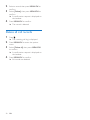
You can end a call in these ways:
• Press
;
• Place the handset to the base station
or charging cradle.