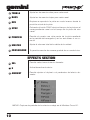
1
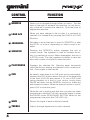
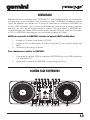
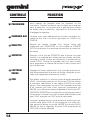
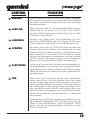
CONTROL
FUNCTION
1
BROWSE
Allows you to navigate through folders or tracks. Turn the
knob to the right to advance the selection, or turn the rotary to the left to reverse the selection. Push the knob to
engage the selection.
2
LOAD A/B
When you have selected a file for play, it is assigned to
channel A or channel B by pressing the LOAD A or LOAD
B button.
3
JOGWHEEL
Simulates a record feel and is used to SCRATCH or alter
the PITCH of a track, depending on which mode is enabled.
4
SCRATCH
Pressing the SCRATCH button engages the unit in
scratch mode. The jogwheel is used to simulate the effect of scratching a record. When disengaged, the unit is
in PITCH mode. Turn the jogwheel clockwise to raise the
pitch and counter-clockwise to lower the pitch.
5
PLAY/PAUSE
Engages the selected file. Pressing again temporarily
stops the file from playing, and freezes it in its current location. Press again to start the file.
6
CUE
By default, when there is no CUE point set (or memorized),
pressing the CUE button returns the unit to the beginning
of the track (0:00.00) and pauses it. To set a CUE point
during playback at a time of your choice, simply press
PAUSE and then use the SEARCH function to make any
adjustments by frame. When the precise location is found,
press CUE to store this point.
While the unit is playing and after the cue point has been
programmed, pressing CUE will cause the player to enter
the PAUSE mode (PLAY/PAUSE BUTTON blinks) at the
programmed cue point (the CUE LED is lit).
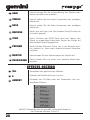
4
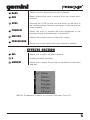
7
GAIN
Boosts the signal of each individual channel.
8
TREBLE
Adjusts the high frequencies for each channel.