1
Starting the document shredder:
Important note:
This device is designed solely for private use in enclosed quarters and for
brief operation not exceeding 2 minutes. Do not use the document shredder
for commercial applications nor outdoors. Improper use poses risk of
accidents.
The sliding switch is located on the top side of the unit and can be set to three (3)
positions.
1. AUTO position: the shredding operation starts automatically as soon as the paper
to be shredded is inserted in the feed slot. After the shredding operation is
complete, the device will automatically deactivate.
2. REV features the following two functions:
a) Rectifying a paper jam. In this case, the direction of the shredding operation is
reversed before the work cycle ends in order to free the shredding blades.
Should you determine that too much paper has been inserted and the shredding
operation slows noticeably, immediately set the switch to this position, also in the
event paper is accidentally inserted.
b) Shredding CDs/DVDs and credit cards: Insert an individual CD/DVD or credit
card in the designated feed slot on the shredder.
4. In order to empty the waste basket or in the event the device is not used for a
prolonged period of time, set the switch to OFF and disconnect the device from
the electrical line in order to avoid the risk of injuries.
4. Furthermore, the document shredder features a “Clear” switch. Please press this if
the shredding operation ends before the paper has been completely shredded.
With the help of the clear switch, the paper is then completely ejected into the
waste basket.
Capacity of the document shredder:
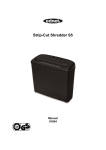
Strip-Cut Shredder S7-CD shreds up to 7 sheets of paper (DIN A4, 70g). The paper
width may comprise up to 22 cm. When shredding small paper sizes such as letters or
credit card receipts, please insert them into the middle of the shredding slot.
Please ensure that never more than the above-mentioned maximum quantity is
inserted in the shredder. Otherwise the device may sustain damage.
-4-