1
SteadyShot
Setting
display
t
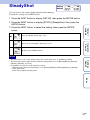
You can activate the camera-shake reduction when shooting.
To make the setting, select [SETUP] first.
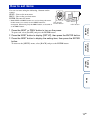
1 Press the NEXT button to display [SETUP], then press the ENTER button.
2 Press the NEXT button to display [STEDY] (SteadyShot), then press the
ENTER button.
Table of
contents
3 Press the NEXT button to select the setting, then press the ENTER
button.
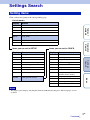
Uses SteadyShot. (Field angle: 120°)
Returns to the [STEDY] menu.
Operation
Search
Does not use SteadyShot. (Field angle: 170°)
Notes
Settings
Search
• The field angle is 120° at the default setting. For a wider field angle, set [STEDY] to [OFF].
• The field angle changes when the Image Quality Setting Mode is set to [HS120]/[HS100], [HS240]/
[HS200], [SSLOW], or [VGA].
• SteadyShot is not effective in the following settings.
– When the Image Quality Setting Mode is set to [HS120]/[HS100], [HS240]/[HS200] or [SSLOW]
– In the photo mode
– In the interval photo recording mode
Index
23GB