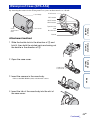
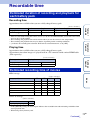
1
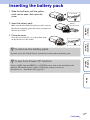
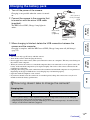
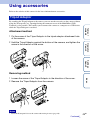
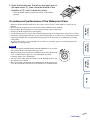
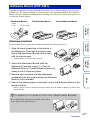
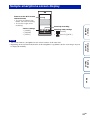
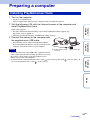
5 Hook the buckle over the tab on the lower part of
the case cover 1, then close the buckle in the
direction of 2, until it clicks into place.
• Close the buckle until the buckle lock returns to the original
position.
On waterproof performance of the Waterproof Case
Operation
Search
Notes
Settings
Search
• You cannot operate the REC button when the HOLD lever is set to the
lock position. Release the lock before operation.
• When recording images underwater with the camera in the Waterproof
Case, recorded images appear less clear than those of normal
recording. This is not a malfunction.
• You can record audio while the camera is in the Waterproof Case, but
the sound level is reduced.
• Thread a suitable cord through the attachment hole of the Waterproof
Case, then attach the cord to an item you intend to use with the camera.
Table of
contents
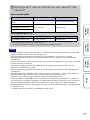
• When inserted in the Waterproof Case, the camera can be used at a water depth of 5 meters for 30
minutes.
• The waterproof performance is based on the testing standards of our company.
• Do not subject the Waterproof Case to pressurized water, such as from a tap.
• Do not use the Waterproof Case in hot springs.
• Use the Waterproof Case only in the recommended operating water temperature of up to 40°C (104°F).
• Sometimes waterproof performance is lost if the Waterproof Case is subjected to a strong shock such as
from being dropped. We recommend the Waterproof Case be inspected at an authorized repair shop
(chargeable).
• If you use the camera at a water depth of 5 m or more, or in marine sports, use the Waterproof Case
(SPK-AS1) (sold separately).
Index
47GB
Continued r