1
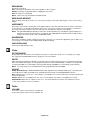
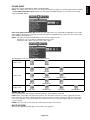
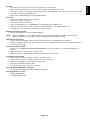
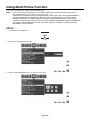
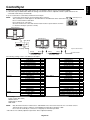
Choose the Picture Mode that is most suitable for the type of content that is shown.
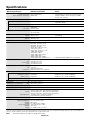
There are several types of mode (FULL, sRGB, Adobe®RGB, DICOM SIM., PROGRAMMABLE).
•
Each PICTURE MODE includes WHITE, GAIN, HUE, OFFSET and SATURATION settings.
The type of PRESET
PRESET
PURPOSE
FULL
Native display color gamut. Suitable for use with color managed applications. Use ICC color profile included in the
enclosed CD-ROM.
sRGB
Standard color space used for the Internet, Windows operating systems and digital cameras. Recommended setting
for general color management.
Adobe®RGB
Provides a standard color space used in high-end graphics applications such as professional digital still cameras and
imaging.
DICOM SIM.
Medical settings for X-ray imaging view. Setting that conforms to the DICOM simulation for the Grayscale Standard
Display Function.
PROGRAMMABLE
For the Hardware Calibration settings by NEC Display Solutions software (some OSD settings are disabled).
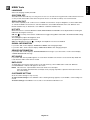
NOTE:
When the selected PICTURE MODE is different from your computer’s ICC color profile, you may experience
inaccurate color reproduction.
English-19
English
Using the PICTURE MODE function