1
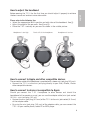
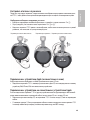
How to adjust the headband
english
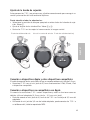
Before wearing the T 51 i for the first time you should adjust it properly to achieve
the best sound and ambient noise attenuation.
Please refer to the following tips:
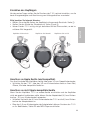
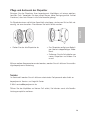
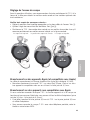
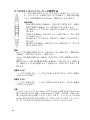
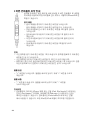
• Select the appropriate lock-in position on both sides of the headband. See 햲.
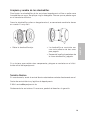
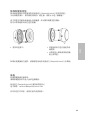
• Adjust the angle of the ear pads. See 햳 and 햴.
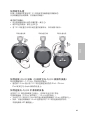
• Place the T 51 i centrally on your ears as shown in the middle picture.
Headphone is too high
7
Perfect fit of the headphone
Headphone is too low
3
7
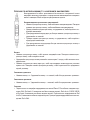
How to connect to Apple and other compatible devices
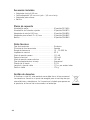
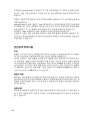
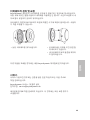
The connection cable of the headphone is provided with a stereo mini jack plug (3.5 mm).
• Connect the T 51 i via the mini jack plug directly to your iPod, iPhone, iPad or
other compatible devices.
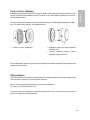
How to connect to devices incompatible to Apple
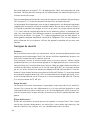
Should you connect the T 51 i headphone to other devices and should the
headphone fail to operate as usual, you can use the adapter cable (mini jack socket
(3.5 m) – mini jack plug (3.5 m)).
• Connect the mini jack plug (3.5 mm) of the T 51 i to the mini jack socket (3.5 mm)
of the adapter cable.
• By using the mini jack plug (3.5 mm) of the adapter cable, you can connect the
T 51 i to your mobile phone, tablet PC or MP3 player.
5