1
Hardware Connection
1
Connect the devices as follows.
Usage Tips: The TP-LINK USB 3.0 hub is plug-and-play and requires no driver for Windows, Mac
OS X or Linux systems.
2
Press the power button and the power LED will light up, indicating that the
hub is ready to use.
Using the Hub
Additional USB Ports
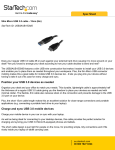
This hub provides your computer with 7 additional USB 3.0 ports for super-speed
USB 3.0 connections.
Smartphone
USB Flash Disk
Mobile Hard Disk
USB Mouse
Usage Tips: 1. The USB 3.0 ports are also compatible with USB 2.0 and USB 1.1 specifications.
2. The USB 3.0 ports transfer data at a rate up to 5Gbps, but the actual rate is limited
by the USB transfer rate of the connected devices.
3. The performance of 2.4GHz wireless devices (wireless keyboards, mice, etc.) may
be affected when they are working too close to USB 3.0 devices.
Charging (For UH720 only)
This hub provides two charging ports with a maximum current of 2.4A to quickly
charge all kinds of mobile devices such as Android, Apple and Windows products.
Smartphone
Pad
Usage Tips: 1. If your device’s current is less than 2.4A, the charging port can automatically adjust
its current supplied to your device to avoid damage.
2. The charging ports are for charging your mobile devices only with no data transfer.