1
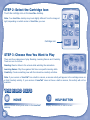
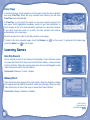
STEP 2: Select the Cartridge Icon
Touch the cartridge icon on the InnoTab® desktop.
Note: Your InnoTab® desktop may look slightly different from the image at
right, depending on which version of InnoTab® you own.
Cartridge icon
STEP 3: Choose How You Want to Play
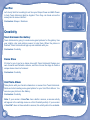
There are three categories of play: Reading, Learning Games and Creativity.
Touch an icon to choose.
Reading: Read or listen to the e-book while watching the animations.
Learning Games: Play three games that focus on specific learning skills.
Creativity: Create something new with the interactive creativity activities.
Note: If your version of InnoTab® has a built-in camera, a camera activity will appear in the cartridge menu as
a third Creativity activity. If your version of InnoTab® does not have a built-in camera, this activity will not be
available.
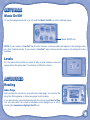
THE HARD KEYS
HOME
Exit the current activity and return to the InnoTab®
desktop.
3
HELP BUTTON
Replay instructions, or ask for a hint.