1
Quickstart Guide (English)
Introduction
1.
2.
3.
4.
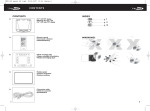
Make sure all items listed in the Box Contents are included in the box.
READ SAFETY INSTRUCTION BOOKLET BEFORE USING THE PRODUCT.
Study the connection diagram.
Make sure all input devices such as microphones, CD players, or digital media players are turned off and volume
settings are set at "zero."
Connect all devices as shown.
Switch everything on in the following order:
•
audio input sources (i.e. microphones, instruments, CD players)
•
Mega Party Express
When turning off, always reverse this operation:
•
Mega Party Express
•
any input devices
5.
6.
7.
Box Contents
Mega Party Express
Microphone
Remote Control
Speaker Link Cable
Antenna Cable
Power Cable (standard IEC)
Quickstart Guide
Safety Instructions & Warranty Information Booklet
Support
For the latest information about this product (system requirements, compatibility information, etc.) and product
registration, visit ionaudio.com.
WARNING: Do not look directly into the dome light. Do not sit, stand, or apply pressure on the dome light.
!
Caution: Do not expose Mega Party Express to rain or stand in water.
Quick Setup
Connection Diagram
Items not listed under the Box Contents are sold separately.
iPod
Right Front
Right Rear
Microphone
Microphone
POWER
Tablet
Microphone
Speaker Link Cable
Left Front
Antenna
Cable
Connector
2
Power