1
System Setting
31
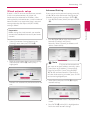
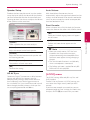
Speaker Setup
Auto Volume
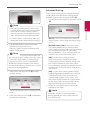
To obtain the best possible sound, use the speaker
setup display to specify the volume of the speakers
you have connected and their distance from your
listening position. Use the test to adjust the volume
of the speakers to the same level.
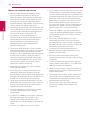
With Auto Volume function on, the unit
automatically adjusts the outputted volume level to
make it raised or lowered if the sound is too loud or
small. So you can enjoy the sound at comportable
level not too loud or small.
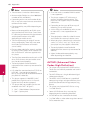
Semi Karaoke
When a chapter/ title is fully finished, this function
shows the score on the screen with a fanfare sound.
[On]
When you finished singing a score will appear
on the screen.
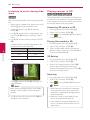
Select a speaker that you want to adjust.
[Volume]
Adjust the output level of each speaker.
[Distance]
Adjust the distance between each speaker and
the listening position.
[Test/ Stop test tone]
[Off]
Fanfare and score do not appears on the
screen.
,,Note
hen you watch movies, “Off ” the Semi
yy W
Karaoke at the Setup menu or enjoy it
without connecting the microphone if the
fanfare or score appears during changing a
chapter.
The speakers will emit a test tone.
yy T he Semi Karaoke function is available only
when a microphone is connected.
[OK]
yy The fanfare and score is applied for only BDROM and DVD-title playback.
Confirms the setting.
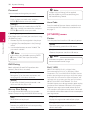
HD AV Sync
Sometimes Digital TV encounters a delay between
picture and sound. If this happens you can
compensate by setting a delay on the sound so
that it effectively ‘waits’ for the picture to arrive:
this is called HD AV Sync. Use A D to scroll up and
down through the delay amount, which you can
set at anything between 0 and 300 ms.
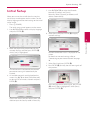
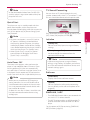
[LOCK] menu
The [LOCK] settings affect only Blu-ray Disc and
DVD playback.
To access the any features in [LOCK] settings, you
must enter the 4-digit security code you have
created.
If you have not entered a password yet, you are
prompted to do so. Enter a 4-digit password twice,
and press ENTER (b) to create a new password.
3
System Setting
[Speaker]