1
2. Introduction
Congratulations on purchasing the ebode IR Link P. Our ebode proprietary eIR2xTM
(pronounce Irex) Technology guarantees a high level of immunity for InfraRed noise of
direct sunlight, CFL lighting and Flat Panel TV’s (including Plasma, LCD and LED). It
provides accurate reproduction of the latest generation InfraRed codes that are used in
remote controls of, for instance, Set-Top Boxes and Media Players (incl. RC5/6, RCMM,
XMP).
The ebode IR Link P is an InfraRed extender system that allows full InfraRed remote control
operation of A/V components located behind closed cabinet doors or other concealed
and/or out-of-sight locations. The ebode IR Link P uses power from the mains (no battery
required).
An InfraRed Extender in general consists of an IR (InfraRed) capture device, the Receiver,
a distribution circuit/connecting block, the Hub, and finally the IR LED output, the Emitter,
which flashes the IR signal to the A/V component.
3. Set content
The ebode IR Link P consists of 3 parts
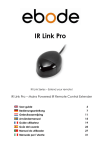
1 IR Receiver IRLP TRX
1 IRHUB1 with attached IR Emitters and extra 3.5mm jack for Emitter expansion.
1 12VDC Power supply wall adapter
4. How does the ebode IR Link P work?
The IRLP Receiver, placed on a shelf or cabinet, receives IR signals from your remote
controls. It then amplifies the remote control signal and passes it to the attached Emitters.
The small Emitters each contain an IR transmitting LED and blink visibly when remote
commands are passed. They allow control of IR remote controlled audio/video
components (such as your A/V Receiver, DVR, satellite box, cable tuner, etc.) and are
attached to the IR sensor “window” on such components by a self adhesive film. When a
handheld remote control is operated and aimed at the ebode IR Link P, the IR
commands will be passed to the controlled equipment.
5. Are there conditions where the ebode IR Link P will not work?
Most brands and models of IR controlled equipment are usable with your ebode IR Link P,
with some exceptions like those using high frequency IR carriers, such as Bang & Olufsen
(ask your dealer).
6. Installing the ebode IR Link P
The Hub sockets are colour coded for easy plug & play installation of the IR Receiver and
IRED Emitters, which have coloured jacks.
Step 1: Place the ebode IR Link P IR Receiver in any convenient location so that the
InfraRed beam from your remote control has a direct view to the front of the unit (within
range of the device (4-7 meters)). The Receiver can be fixed to the surface by using the
double side tape pad or via a slide on screw hole on the bottom of the unit.
Step 2: Install the small Emitters onto your controlled components, using the following
procedure: Remove the paper backing from one of the Emitters, exposing the adhesive
surface. Apply the Emitter directly onto the centre of the sensor “window” on one of your
components.
5-5-2011
4
ebode IR Link P