1
Enhance bass
Adjust equalizer settings
The best Dynamic Bass Enhancement (DBB)
setting is generated automatically for each
DSC selection. You can manually select the
DBB setting that best suits your listening
environment.
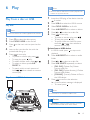
• During play, press DBB repeatedly to
select:
• DBB 1
• DBB 2
• DBB 3
• DBB OFF
Custom Equalizer lets you increase or decrease
the gain for specific frequency ranges, and adjust
audio output to your own preferences.
1
2
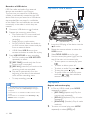
Press CUSTOM on the main unit.
Move the slider bars to adjust the equalizer
settings for each of the 5 frequency ranges.
Apply NX Bass
NX Bass effect adds clean and lively
characteristics to your music with rather low
background noise.
1
2
Open the cover on the NX Bass button.
Press the NX Bass button. The sound will
change in 3 stages:
• Stage 1: The sound volume increases to
a higher level and stays at this level for
5 seconds.
»» [FIRING] (firing) is displayed.
• Stage 2: The sound volume gradually
decreases to its original level in 10
seconds.
»» [DISCHARGE] (discharge) is displayed.
• Stage 3: The sound volume keeps at
normal level for 40 seconds.
»» [RECHARGE] (recharge) is displayed.
Note
•• To reactivate the NX bass effect, press the button again
after the 3 stages are completed.
EN
19