1
GLOSSARY
BACK BUTTON: The button at the top right
corner of the control panel’s LCD screen. The
back button will often allow you to return to
a previous screen or cancel an action.
BUILD PLATE: The plate on which your
MakerBot Replicator Z18 prints an object.
The build plate on the MakerBot Replicator
Z18 has two parts: a removable plastic top
plate, and a flat, sturdy aluminum base.
Additional plastic top plates are available
for purchase at store.makerbot.com.
BUILD PLATE LATCHES: Two latches on
the front of the build platform that hold the
build plate in place. Rotate the latches before
removing the build plate.
BUILD PLATE TAPE: The heavy tape
used as a build surface for your MakerBot
Replicator Z18. Sheets of build plate tape
for the MakerBot Replicator Z18 are available
for purchase at store.makerbot.com.
BUILD PLATFORM: The support for the
build plate. The build platform includes
knobs for manual leveling.
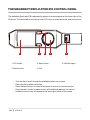
CONTROL PANEL: The LCD screen, dial
and buttons at the upper right corner of the
MakerBot Replicator Z18. The control panel
allows you to start prints, change settings
and view status information.
62
REFERENCE
DIAL: The rotary/push dial on the control
panel. Rotate the dial to scroll through
available options and push the dial to select.
ETHERNET CABLE: A Cat5e cable used to
connect your MakerBot Replicator Z18 to a
local area network.
EXTRUDER ASSEMBLY: The MakerBot
Replicator Smart Extruder installed in the
extruder carriage.
EXTRUDER CARRIAGE: The part of the
extruder assembly that sits on the gantry
and moves back and forth. When the Smart
Extruder is installed in the extruder carriage,
the extruder assembly is complete.
EXTRUDER NOZZLE: The opening on the
end of the Smart Extruder from which heated
MakerBot PLA Filament emerges to be
spread onto the build plate.
FILAMENT DRAWER: The part of your
MakerBot Replicator Z18 that slides out to
allow you to load a spool of MakerBot PLA
Filament.
FILAMENT GUIDE TUBE: The plastic tube
that guides the MakerBot PLA Filament from
the filament spool to the Smart Extruder.
FILAMENT WASTE BIN: A clear plastic
container in the back right corner of the
MakerBot Replicator Z18. The Smart Extruder
purges some plastic into the wipe bucket
before prints and after filament changes.