1
EN
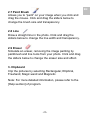
2.7 Paint Brush
Allows you to “paint” on your image when you click and
drag the mouse. Click and drag the sliders below to
change the brush size and transparency.
2.8 Line
Draw a straight line in the photo. Click and drag the
sliders below to change the line width and transparency.
2.9 Eraser
Simulate an eraser, removing the image painting by
paintbrush and line tools from your photo. Click and drag
the sliders below to change the eraser size and effect.
3. Clipboard
Clip the pictures by selecting Rectangular, Elliptical,
Freehand, Magic wand and Magnetic.
Note: For more detailed information, please refer to the
[Help section] of program.
-22-