1
AXIS P3365–V Fixed Dome Network Camera
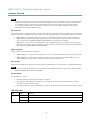
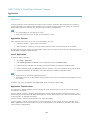
Hardware Overview
NOTICE
Due to local regulations or the environmental and electrical conditions in which the product is to be used, a shielded network
cable (STP) may be appropriate or required. All cables connecting the product to the network and that are routed outdoors
or in demanding electrical environments shall be intended for their specific use. Make sure that the network devices
are installed in accordance with the manufacturer’s instructions. For information about regulatory requirements, see
Electromagnetic Compatibility (EMC), on page 2 .
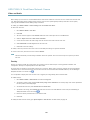
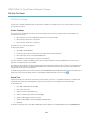
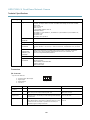
I/O Connector
Use with external devices in combination with, for example, tampering alarms, motion detection, event triggering, time lapse recording
and alarm notifications. In addition to the 0 V DC reference point and power (DC output), the I/O connector provides the interface to:
•
Digital output – For connecting external devices such as relays and LEDs. Connected devices can be activated by the
VAPIX® Application Programming Interface, output buttons on the Live View page or by an Action Rule. The output will
show as active (shown under System Options > Ports & Devices) if the alarm device is activated.
•
Digital input – An alarm input for connecting devices that can toggle between an open and closed circuit, for example:
PIRs, door/window contacts, glass break detectors, etc. When a signal is received the state changes and the input becomes
active (shown under System Options > Ports & Devices).
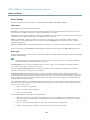
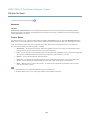
Audio Connector
The Axis product has the following audio connectors:
•
Audio in (pink) – 3.5 mm input for a mono microphone, or a line-in mono signal (left channel is used from a stereo signal).
•
Audio out (green) – 3.5 mm output for audio (line level) that can be connected to a public address (PA) system or an
active speaker with a built-in amplifier. A stereo connector must be used for audio out.
SD Card Slot
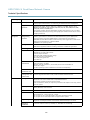
An SD card (not included) can be used for local recording with removable storage. For more information, see Technical Specifications.
NOTICE
To prevent corruption of recordings, the SD card should be unmounted before removal. To unmount, go to Setup > System
Options > Storage > SD Card and click Unmount.
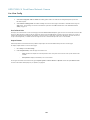
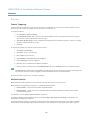
Control Button
The control button is used for:
•
Resetting the product to factory default settings. See page 54.
•
Connecting to an AXIS Video Hosting System service. See page 47. To connect, press and hold the button for about 1
second until the Status LED flashes green.
•
Connecting to AXIS Internet Dynamic DNS Service. See page 47. To connect, press and hold the button for about 3 seconds.
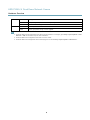
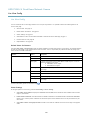
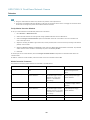
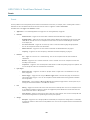
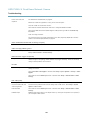
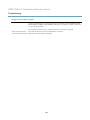
LED Indicators
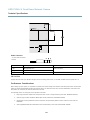
LED
Color
Indication
Network
Green
Steady for connection to a 100 Mbit/s network. Flashes for network activity.
Amber
Steady for connection to a 10 Mbit/s network. Flashes for network activity.
Unlit
No network connection.
7