1
7Phonebook
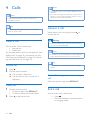
This phone has a phonebook that stores up to
50 records. You can access the phonebook from
the handset. Each record can have a name up
to 12 characters long and a number up to 24
digits long.
View the phonebook
Note
2
Press the alphanumerical key that matches
the character.
»» The first record that starts with this
character is displayed.
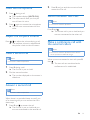
Call from the phonebook
1
2
3
Press or press MENU/OK >
[PHONEBOOK] > [VIEW] to access the
phonebook list.
Select a contact in the phonebook list.
Press
to make the call.
•• You can view the phonebook on one handset only
each time.
1
2
Press or press MENU/OK >
[PHONEBOOK] > [VIEW] to access the
phonebook list.
Select a contact and view the available
information.
Search a record
You can search the phonebook records in these
ways:
• Scroll the contacts list.
• Enter the first character of the contact.
Scroll the contact list
1
2
Press or press MENU/OK >
[PHONEBOOK] > [VIEW] to access the
phonebook list.
Press and to scroll through the
phonebook list.
Enter the first character of a contact
1
Add a record
Note
•• If your phonebook memory is full, the handset displays
a notification message. Delete some records to add
new ones.
•• The phonebook overwrites the old number with the
new number.
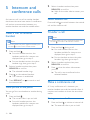
1
2
3
4
Press MENU/OK.
Select [PHONEBOOK] > [ADD NEW],
then press MENU/OK to confirm.
Enter the name, then press MENU/OK to
confirm.
Enter the number, then press MENU/OK
to confirm
»» Your new record is saved.
Tip
•• Press and hold # to insert a pause.
•• Press once or several times on the alphanumeric key to
enter the selected character.
•• Press REDIAL/C to delete the character. Press
to move the cursor left and right.
/
Press or press MENU/OK >
[PHONEBOOK] > [VIEW] to access the
phonebook list.
EN
15