Hardware Manual
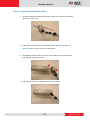
3. Secure the clamping nut to the body.
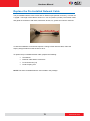
Step 4: Connect the Ethernet Cable
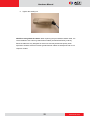
1. Connect the Ethernet cable to the Ethernet port inside the camera.
2. When done, close the back cover by tightening the three (3) screws.
18
www.acti.com