Transcript
Item # XTNG800
The XTNG800 ControI Lock
The control lock (Figure A-14) locks the con-trols on the XTNG800 to prevent
unintended use. Before using these controls to take
photographs in vertical (portrait) orientation, release the lock as shown
at right.
An option in Group d of the camera
Custom Set- tings menu can be used
to change the order in which the
batteries are used. When the camera is
drawing power from the XTNG800, a
icon is displayed in the control
panel. If the
icon blinks, the
battery-chamber cover is not
locked.Close and latch the batterychamloer cover.
The control lock is not a power switch. Use the camera power switch to turn
the camera on and off
designed for
Nikon
To ensure that the camera shows the
cor-rect battery level when AA
batteries are use,choose the appropriate option for XTNG800 bat-tery type
in the camera Custom Settings menu
(Group d). If the correct option is not
selected,the camera may fail to
function as expected.
Before attaching the battery pack,be sure that the camera is
off and that the XTNG800 control lock (Fiqure A-14) is in the L
position (the illustrations show the D800).
1 Remove the contact cap (Figure A-1) from the battery pack.
2 The contacts for the XTNG800 are in the base of the camera,
where they are protected by a con-tact cover. Remove the
contact cover as shown in Figure B-1 and place it in the
contact cover holder on the XTNG800 (Figure B-2).
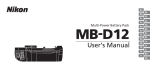
Thank you for your purchase of an XTNG800 multi-power battery pack for use with all Nikon single-lens reflex digital cameras that list the XTNG800 as a
compatible accessory in the camera manual. The XTNG800 takes one EN—EL15 or EN-EL18 rechargeable battery or eight AA batteries (alkaline, Ni-MH, or
lithium) and includes an alternate shutter-release but-ton, AF-ON button, multi selector, and main and sub-command dials for taking pictures in “tall”(portrait)
orientation. Camera menu options allow the user to choose whether the camera battery or the batteries in the XTNG800 are used first; see the camera manual
for details
3 Position the XTNG800,keeping the XTNG800 mounting
screw (Figure C-2) aligned with the cam-era tripod socket
(Figure C-1) and tighten the attachment wheel by rotating it
in the direction shown by the LOCK arrow (Figure D). There is
no need to remove the battery from the camera before
connecting the XTNG800. At default settings, the battery
inserted in the camera will be used only after the battery in the
XTNG800 is exhausted. The Battery order option in the
cam-era Custom Settings menu (Group d) can be used to
change the order in which the batteries are used.
Removing the Battery Pack To remove the XTNG800, turn
the camera off and set the control lock on the XTNG800 to
L,then loosen the attachment wheel and re-move the
XTNG800. Be sure to replace the con-tact cover on the camera
and the contact cap on the XTNG800 when the battery pack is
not in use.
The XTNG800 and Supplied Accessories
Confirm that the following items are supplied with the XTNG800 (batteries are sold separately).
Be sure to place the camera contact cover in the contact cover holder and to keep the XTNG800 con-tact cap in a safe place to prevent
loss.A PB-6D and PK-13 auto-extension ring are required when using PB-6 bellows focusing attachment with the XTNG800.
XTNG800
XTNG800 holder for
EN-EL15 batteries
XTNG800 holder for
AA batteries
Contact cap
Using the OptionaI EH-5a/EH-5b AC Adapter and EP-5B Power Connector
The optional EH-5a/EH-5b AC adapter and EP-5B power connector provide a reliable power source when the camera is used
for ex- tended periods. To use an AC adapter with the XTNG800, insert the EP-5B into the XTNG800 battery holder as described
on page 7 and then connect the EH-5a/EH-5b as described in the documentation provided with the EP-5B.
Using the Optional BL-5 Battery-Chamber Cover
A BL-5 battery-chamber cover (available separate-ly) is required when using
EN-EL18 batteries.
BL-5 battery-chamber cover
Parts of the XTNG800 (Figure A)
1) Contact cap 2) Holder for camera contact cover 3) Power/signal contacts 4) AF-ON button 5) Main cornrnand dial 6) Multi selector
7)Attachment wheel 8) Holder power connector cover 9) Battery-chamber cover 10) Battery chamber 11) Battery-chamber latch 12) Mounting
screw 13) Shutter-release button 14) Control lock 15) Sub-command dial 16) Tripod socket 17) XTGN800 holder for EN-EL15 batteries 18) Power
terminals 19) Power terminals (MXTGN800 battery holder) 20) XTNG800 holder for AA batteries 21) Power terminals (XTGN800 battery holder)
22) BL-5 battery-chamber cover (available sep-arately)
Inserting Batteries
The XTNG800 can be used with one EN-EL15 or EN-EL18 rechargeable Li-ion battery, or with eight AA batteries. A BL-5
battery-chamber cover (avail-able separately) is required when using an EN-EL18 battery. Before inserting batteries, be sure
that the camera is off and that the XTNG800 control lock is in the L position.
1 Turn the XTNG800 battery-chamber latch to and remove the battery holder (Figure E).
2 Ready the batteries as described below.
EN-EL15: Matching the indentations on the battery to the projections on the XTNG800 holder,insert the battery with the
arrow on the bat-tery toward the battery holder power terminals (Figure F-1). Press the battery lightly downward and slide it
in the direction of the arrow until the power terminals click into place (Figure F-2).
EN-EL18: If the battery release on the optional BL-5 battery-chamber cover is positioned so that the arrow is visible,slide the
battery release to cover the arrow (Figure G-1). Insert the two projections on the loattery into the matching slots on the BL-5
(Figure G-2) and confirm that the battery release has slid aside to reveal the arrow. AA batteries:Place eight AA batteries in the
XTNG800 battery holder as shown in Figure H, making sure that the batteries are in the correct orientation.
3 Insert the battery holder in the XTNG800 and latch the battery-chamber cover (Figure l). Make sure the holder is fully
inserted before turning the latch.
4 Turn the camera on and check the battery level in the control panel or viewfinder. If the camera does not turn on, check
that the battery is cor-rectly inserted.
The XTNG800 Shutter-Release Button,Multi Selector,Command Dials,and AF-ON Button
The XTNG800 is equipped with a shutter-release button (Figure A-13), multi selector (Figure A-6),main command dial
(Figure A-5), sub-command dial (Figure A-15),and AF-ON button (Figure A-4)for use when taking photographs in vertical
(“tall”,or portrait) orientation. These controls perform the same functions as the corresponding controls on the camera. See
the camera manual for more information. Changes to Multi selector center button, Multi selector, Customize command
dials, and Assign XTNG800 AF-ON in the camera Custom Settings menu (Group f ) also apply to the multi selector,
command dials, and AF-ON button on the XTNG800.
The EP-5B Power Connector
When using the EP-5B power connector, insert it into the XTNG800 holder with the arrow on the connector toward the battery
power terminals.Press the connector lightly downward and slide it in the direction of the arrow until the power terminals click into
place (Figure J-1). Open the holder power connector cover and pass the EP-5B power cable through the opening (Figure J-2).
Remove the batteries when the XTNG800 is not in use
Battery Info
Battery information(including calibration information for EN-EL18 batteries) can be viewed
from the camera setup menu (the camera battery is listed on the left, the XTNG800 0n the
right). Only the battery level icon is shown when AA batteries are used. See the camera manual
for details.
Note: The illustrations on this page are from the D800.
1 Turn the XTNG800 battery- chamber latch to
and remove the battery holder (Figure E).