1
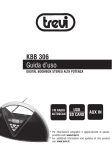
KBB 310 BT
Guida d’uso / User Guide
ita
DIGITAL BOOMBOX BLUETOOTH AD ALTA POTENZA
eng
DIGITAL BOOMBOX BLUETOOTH - USB HIGH POWER
fra
LECTEUR BOOMBOX HIGH POWER STÉRÉO
deu
TRAGBARER BOOMBOX
esp
BOOMBOX ESTÉREO HIGH POWER
BLUETOOTH
FM RADIO USB
LINE-IN
* Per informazioni integrative e aggiornamenti di questo prodotto vedi: www.trevi.it
* For additional information and updates of this product see: www.trevi.it
ITALIANO
NOTE D’USO
Non usare alimentatori con un voltaggio superiore a 5V, causa danneggiamento del riproduttore.
Non ascoltare a volume alto per diverso tempo, potrebbe danneggiare il vostro udito.
Evitare di posizionare il riproduttore:
- Vicino a campi magnetici.
- Vicino a fonti di calore come caloriferi e stufe.
- In luoghi molto umidi come stanze da bagno, piscine, ecc...
- In luoghi molto polverosi.
- In luoghi soggetti a forti vibrazioni.
- Posizionare l’apparecchio in modo che ai suoi lati ci sia sempre abbastanza
spazio per la libera circolazione di aria (almeno 5 cm).
- Se dei liquidi penetrano all’interno dell’apparecchio scollegare imme
diatamente la spina dalla presa e portare l’apparecchio al più vicino centro
assistenza autorizato TREVI.
- Controllare sempre prima di ricaricare l’apparecchio, che i cavi di alimentazione e di collegamento siano installati correttamente.
CURA E MANUTENZIONE
Per la pulizia si consiglia l’uso di un panno morbido, leggermente inumidito. Evitate
solventi o sostanze abrasive.
IMPORTANTE
La buona costruzione di questo apparecchio ne garantisce per lungo tempo il perfetto
funzionamento. Se tuttavia dovesse presentarsi qualche inconveniente, sarà opportuno
consultare il più vicino Centro Assistenza autorizzato.
TREVI persegue una politica di continua ricerca e sviluppo. Pertanto i prodotti possono
presentare caratteristiche diverse da quelle descritte.
KBB 310 BT
AVVERTENZA PER IL CORRETTO UTILIZZO DELLA BATTERIA
RICARICABILE
2
-
-
-
-
-
-
-
Ricaricare la batteria ad una temperatura compresa tra i 5°C e i 35°C.
Non prolungare la ricarica oltre i tempi indicati per evitare il rischio di surriscaldamento
e scoppio.
Non ricaricare la batteria per un tempo superiore alle 6 ore.
La ricarica della batteria oltre i tempi indicati o un prolungato periodo di inattività possono ridurne la durata.
La batteria ricaricabile è soggetta ad usura e la sua capacità diminuisce gradualmente.
Per prolungare la durata della batteria, utilizzarla quando è completamente carica fino al completo scaricamento, quindi ricaricarla completamente di nuovo prima
di utilizzarla nuovamente. Mettendo in carica una batteria non completamente esaurita,
la sua durata risulterà ridotta. In questo caso, ripetere il ciclo caricamento/scarica
mento completo più volte.
Evitare di tenere la batteria sottocarica tutta la notte.
• Unità riproduttore
• Cavo USB / micro USB
10
ITALIANO
CONTENUTO DELLA CONFEZIONE
• Manuale
7
6
2
1
9
3
4
5
12
8
DESCRIZIONE COLLEGAMENTI E COMANDI
1.Tasto Bluetooth-Play/Pause
2.Tasto SKIP3.Tasto SKIP+
4.Tasto V- diminuzione volume
5.Tasto V+ aumento del volume
6.Tasto S, selezione sorgente
7.Tasto ON/OFF accensione, spegnimento
8.Ingresso LINE-IN
9. Ingresso USB
10. Antenna FM
11. Presa alimentazione micro USB
12. Display LED
KBB 310 BT
11
3
ITALIANO
RICARICA DELLA BATTERIA
Al primo utilizzo dello speaker, caricarlo per 5 ore.
1. Collegare il cavo USB alla porta micro USB (11) dello speaker, collegare l’altro estremo alla porta USB del PC o di un alimentatore (non in dotazione) con presa Usb.
2. Durante la fase di carica l’indicatore LED verde sara’ con illuminazione fissa ad indicare la fase di carica.
3. Quando la batteria e’ in fase di esaurimento, sullo speaker verra’ emesso un beep di avvertimento.
Durante la fase di ricarica è necessario tenere l’apparecchio spento (premere il tasto accensione/spegnimento(7) ). Per una ricarica completa
sono necessarie circa 5 ore.
4. A carica ultimata l’indicatore a LED verde si spegnerà.
ACCENSIONE/SPEGNIMENTO
Premere il tasto ON/OFF (7), sul display comparirà la scritta HI e l’unità emetterà un beep.
Premere il tasto ON/OFF (7), sul display comparirà la scritta SBY seguito dal segnale beep.
REGOLAZIONE VOLUME
È possibile regolare il volume dell’apparecchio con i tasti di regolazione volume.
1. Premere il tasto +(5) per aumentare il volume del dispositivo.
2. Premere il tasto -(4) per diminuire il volume.
SELEZIONE SORGENTE
Premere in sequenza il tasto S (6) per accedere alla modalità USB / RADIO FM / BT
/ LINE-IN.
KBB 310 BT
FUNZIONAMENTO BLUETOOTH
ACCOPPIAMENTO AI DISPOSITIVI
1. Posizionare lo speaker vicino al dispositivo Bluetooth da accoppiare.
2. Premere in sequenza il tasto S (6) sulla posizione BT (Bluetooth), il LED blue comincerà
a lampeggiare segnalando la modalità di accoppiamento.
3. Seguire le istruzioni del vostro dispositivo per ricercare lo speaker.
4. Ricercare lo speaker nominato “KBB 310 BT” e inserire il PIN “0000” se richiesto.
5. Ad accoppiamento avvenuto lo speaker emetterà un suono di risposta e
il Led blu rimarrà a luce fissa.
NOTA: se nessun dispositivo viene trovato, il Led blu continuerà a lampeggiare.
FUNZIONAMENTO RADIO
Premere il tasto S (6) fino alla visualizzazione sul display della frequenza radio FM.
Estendere l’antenna telescopica (10), per una migliore ricezione delle stazioni.
RICERCA MANUALE
4
Premere per qualche secondo i tasti SKIP- (2) e SKIP+ (3) per effettuare una scansione manuale delle frequenze radio; la ricerca si fermerà nel momento in cui verrà ricevuta una
emittente radio stereo.
Premere i tasti SKIP- (2) e SKIP+ (3) per aumentare o diminuire la frequenza di 0,1MHz.
MEMORIZZAZIONE DELLE STAZIONI
1. Per salvare la stazione radio ricevuta premere e tenere premuto il tasto PLAY/PAUSE(1), sul display lampeggierà la posizione della memoria; tramite i tasti SKIP-(2) e SKIP+(3) il numero di memoria desiderato e premere di nuovo PLAY/PAUSE (1) per confermare. La stazione radio è ora salvata nella posizione di memoria scelta. È possibile salvare un massimo di 20 emittenti radio.
2. Per richiamare il numero di una stazione memorizzata, premere PLAY/PAUSE(1) e utilizzare i tasti SKIP-(2) e SKIP+(3) per ricercare il numero desiderato.
Nota: per ottenere la migliore ricezione in FM estendete l’antenna (10). Se la ricezione
non è buona provate a regolare diversamente la lunghezza dell’antenna, comunque
la qualità della ricezione in FM dipende molto dal luogo dove è posto l’apparecchio.
La vicinanza di apparecchi TV, lampade al neon o altri elettrodomestici può provocare
disturbi nella ricezione di programmi radio, in questo caso allontanate il radioregistratore.
ITALIANO
RICERCA FINE
FUNZIONAMENTO USB
1. Inserire la memoria USB nell’ingresso USB(9).
2. Premere in sequenza il tasto S (6) fino a visualizzare la voce USB; attendere
qualche secondo che il lettore esterno carichi tutti i file.
3. La riproduzione partirà in automatico.
4. Per inserire la pausa premere una volta il tasto PLAY/PAUSE(1).
5. Per disinserire la pausa premere una seconda volta il tasto PLAY/PAUSE(1).
6. Per avanzare/retrocedere velocemente l’ascolto di un brano premere e tenere premuto i tasti SKIP-(2) e SKIP+(3).
7. Per passare alla riproduzione del brano precedente/successivo premere i tasti SKIP-(2) e SKIP+(3).
1. Collegare il cavetto adattatore jack (non in dotazione) nell’uscita audio del vostro
dispositivo:smartphones, tablet, multimedia players, inserendo l’altra estremità nell’ingresso LINE-IN (8)del riproduttore.
2. Premere in sequenza il tasto S (6) fino a visualizzare la voce LINEIN.
3. Per attivare la riproduzione della sorgente esterna, fare riferimento al manuale
dell’apparecchio collegato.
KBB 310 BT
FUNZIONAMENTO LINE-IN
5
ITALIANO
Informativa sulla rimozione e lo smaltimento delle batterie
Attenzione: l’operazione di rimozione e smaltimento è riservata esclusivamente al
personale tecnico specializzato!
1. Estrarre la copertura in gomma dal mobile posteriore.
2. Svitare le viti che fissano il mobile.
3. Rimuovere la batteria dal suo alloggiamento.
Qualunque sia il tipo di batteria esaurita, essa non deve essere gettata tra i rifiuti
domestici,nel fuoco o nell’acqua. Ogni tipo di batteria esaurita deve essere riciclata
oppure smaltita presso gli appositi centri raccolta dedicati.
CARATTERISTICHE TECNICHE
Potenza Totale:................6W (2 x 3W)
Impedenza: ......................... 4 Ohm
Line IN:
.......Presa Jack 3.5mm
Alimentazione:batteria al lithio ricaricabile tramite mini USB DC5V
Consumo
.. 6W / Standby <0,5W
Dimensioni: ........ 319x127x101mm
Avvertenze per il corretto smaltimento del prodotto.
KBB 310 BT
Il simbolo riportato sull’apparecchiatura indica che il rifiuto deve essere oggetto di
“raccolta separata” pertanto il prodotto non deve essere smaltito insieme ai rifiuti urbani.
L’utente dovrà consegnare il prodotto presso gli appositi “centri di raccolta differenziata”
predisposti dalle amministrazioni comunali, oppure consegnarlo al rivenditore contro
acquisto di un nuovo prodotto.
La raccolta differenziata del rifiuto e le successive operazioni di trattamento, recupero e
smaltimento favoriscono la produzione di apparecchiature con materiali riciclati e limitano
gli effetti negativi sull’ambiente e sulla salute causati da una gestione impropria del rifiuto.
Lo smaltimento abusivo del prodotto comporta l’applicazione di sanzioni amministrative.
6
ENGLISH
1. STANDBY/ON BUTTON
2. SOURCE BUTTON
3. SKIP DN/TUN- BUTTON
4. PAIRING/PLAY/PAUSE BUTTON
5. SKIP UP/TUN+ BUTTON
6. VOL- BUTTON
7. VOL+ BUTTON
8. USB PORT
9. LINE IN JACK
10. MINI USB POWER SOCKET
11. FM TELESCOPIC ANTENNA
12. SPEAKERS
13. LED DISPLAY
14. BLUETOOTH INDICATOR
15. POWER/CHARGE INDICATOR
16. HANDLE
The unit includes a built-in battery. Before using the battery, please make sure it is fully
charged. Charge the battery following the below steps:
1. Connect the supplied USB cable to a computer’s USB socket or an applicable AC/
DC adapter (optional) and the mini USB power socket on the left side of the unit.
2. Connect the adapter (optional) to the main power or power on the computer
for charging the battery.
3. During charging, the power/charge indicator light green. When the battery
is fully charged, the indicator will turn off.
NOTE:During playback, when the battery is low power, the power/charge indicator will
flash red for indicating. After about 3 minutes, the unit will turn off automatically, if not
connect the unit to the main power.
If the unit is not in use for a prolonged period of time, it is recommendable to charge
the built-in battery every two months.
KBB 310 BT
POWER SUPPLY
BUILT-IN BATTERY OPERATION
7
ENGLISH
DC INPUT OPERATION
Plug the supplied USB cable to the mini USB power socket on the left side of the unit
and a computer’s USB socket or an applicable AC/DC adapter (optional). Connect the
adapter (optional) to the main power or power on the computer.
NOTE: Once connect the unit to the main power, the power/charge indicator will light green.
If play the unit with the battery, the indicator will not light except the unit is low power.
NOTE: If not any audio signal inputs to the unit in about one hour, the unit will switch off
automatically (except at radio mode).
BLUETOOTH OPERATING
This unit can receive stereo audio signal from a BLUETOOTH stereo audio source device.
1. Power on the unit by pressing the STANDBY/ON button, switch to
BLUETOOTH mode by pressing SOURCE repeatedly, “bt” shows on the display.
2. LED indicator rapid blinking while it is pairing.
3. Pair and connect to KBB 310 BT on the BLUETOOTH audio source device. If prompted for passcode, enter “0000”.
4. Pairing successful (LED indicator lights solid blue), ready to stream music.
5. Press the PAIRING/PLAY/PAUSE button to pause/resume the playback.
6. During playback, press the SKIP DN/TUN- button once to go back the beginning of the current track, press the SKIP DN/TUN- button twice continuously to skip to the previous track.
7. During playback, press the SKIP UP/TUN+ button to skip to the next track.
8. During playback, press and hold the SKIP DN/TUN- or SKIP UP/TUN+ button to search
through the track backward or forward.
Note:The above are generic steps to pair a BLUETOOTH device, for more specific instructions
on BLUETOOTH connectivity for your device, please consult your manufacturer’s manual.
After the first connection, the unit will detect your last paired BLUETOOTH device and
connect to it automatically.
KBB 310 BT
RE-CONNECT TO THE BLUETOOTH AUDIO SOURCE DEVICE
If the device is already paired with the KBB310BT, but became unconnected even with
both Bluetooth devices turned on. You can re-connect them by following steps:
1. Press and hold the PAIRING/PLAY/PAUSE button to re-link the audio source
device. The Bluetooth indicator will blink.
2. Select KBB310BT on the audio source device for connecting. Bluetooth indicator
will turn to solid blue if the KBB 310 BT and the device have been re-connected
successfully.
FM RADIO TUNING THE FM RADIO
8
1. Power on the unit, switch to the radio mode by pressing the SOURCE button repeatedly until the LED display shows the radio frequency.
2. Extend the FM TELESCOPIC ANTENNA on the left side of the unit fully for best reception.
3. Press the SKIP UP/TUN+ or SKIP DN/TUN- button to fine tune radio station. Press and hold the SKIP UP/TUN+ or SKIP DN/TUN- button to auto search radio station forward or backward from the current frequency respectively (When an
available station will be found, the unit will broadcast it immediately and the searching
will be stopped).
ENGLISH
STORING YOUR FAVORITE RADIO STATION
1. During playback, press and hold the PAIRING/PLAY/PAUSE button for storing
the current station until memory cell number flashes on the LED display.
2. Use the SKIP UP/TUN+ or SKIP DN/TUN- button to select the corresponding
memory cell for storing the station.
3. Confirm your selection by pressing the PAIRING/PLAY/PAUSE button again.
RECALL THE PRESET STATIONS
1. Press the PAIRING/PLAY/PAUSE button until memory cell number flashes
on the LED display.
2. Press the SKIP UP/TUN+ or SKIP DN/TUN- button repeatedly until the memory cell number of the desired station flashes on the LED display.
3. Release the SKIP UP/TUN+ or SKIP DN/TUN- button, the unit will bro
adcast the station.
VOLUME LEVEL ADJUSTMENT
Press the VOL+/- button to adjust the volume output level.
1. Power on the unit, insert an USB into the unit.
2. Press the SOURCE button repeatedly to switch to USB mode until the wording of USB shows on the LED display, the playback will start automatically.
3. Press the SKIP UP/TUN+ button or the SKIP DN/TUN- button to skip to the next track or the previous track.
4. During playback, press and hold the SKIP DN/TUN- or SKIP UP/TUN+ button to search through the track backward or forward.
5. Press the PAIRING/PLAY/PAUSE button to pause the playback; press the button again
to resume normal playback.
LINE IN
1. Connect the LINE IN jack on the left side of the unit to an audio source, for example,
MP3 player with an audio cable.
2. Press the STANDBY/ON button to turn the unit on.
3. Press the SOURCE button repeatedly to switch to LINE IN mode until the wording of LINE shows on the LED display.
4. Use the native controls on the connected audio device to begin playing music through
the connected the unit.
KBB 310 BT
USB PLAYBACK
IMPORTANT SAFETY INSTRUCTIONS
The apparatus shall not be exposed to dripping or splashing and that no objects filled with liquids,
such as vases, shall be placed on the apparatus.
9
ENGLISH
When the USB cable is used as the disconnect device, the disconnect device shall remain readily
operable. To be completely disconnected the power input, the USB cable shall be disconnected
from the power source completely.
No naked flame sources, such as lighted candles, should be placed on the apparatus.
Minimum distances 2.0cm around the apparatus for sufficient ventilation. The ventilation should
not be impeded by covering the ventilation openings with items, such as newspapers, table-cloths,
curtains, etc.
The use of apparatus is in tropical and/or moderate climates.
Attention should be drawn to the environmental aspects of battery disposal.
CAUTION: Danger of explosion if battery is incorrectly replaced. Replace only with the same or
equivalent type.
Battery shall not be exposed to excessive heat such as sunshine, fire or the like.
The marking plate is located at the back or the bottom of the apparatus.
Symptom
Possible Cause
Solution
Radio sound distorted.
1. The station is not tuned in.
2. There is a poor signal in the area.
1. Fine tune the station.
2. Reposition the unit.
No radio sound.
1. The unit is not in radio mode.
2. The volume is on the minimum
setting.
1. Press the SOURCE button
repeatedly until switching to
radio mode.
2. Adjust the volume level.
No sound at Bluetooth
mode
1. The Bluetooth device is not paired
with the unit.
2. The volume is on the minimum
setting.
1. Follow the instructions to pair
the Bluetooth device to the unit.
2. Adjust the volume level.
KBB 310 BT
Precautions for correct disposal of the product.
10
The symbol shown on the equipment indicates that waste must be disposed of in “separate collection”
and so the product must not be disposed of together with urban waste.
The user must take the product to special “separate waste collection centres” provided by local
government, or deliver it to the retailer against the purchase of a new product.
Separate collection of waste and subsequent treatment, recycling and disposal operations promotes
the production of equipment with recycled materials and limits negative effects on the environment
and on health caused by improper handling of waste.
Illegal disposal of the product leads to the enforcement of administrative penalties.
WARNING FOR A CORRECT USE OF RECHARGEABLE BATTERY
-
-
-
-
-
-
-
Recharge the battery in an ambient temperature between 5°C and 35°C.
Don’t recharge more than the suitable period to prevent the risk of overheating and burst.
Don’t recharge the battery for more than 6 hours.
Recharging the battery over the suitable period or an extended period of inactivity may reduce battery duration.
Rechargeable battery is liable to wear and tear and its performance will reduce gradually.
To extend the duration of the battery use it when is completely charged up to the complete discharging, then recharge it fully before use it again. Recharge a battery not completely consumed, will result a reduced duration. In this case, repeat the full charging/discharging cycle many times.
Avoid recharge the battery for the whole night.
Ne pas utiliser les alimentateurs avec une tension supérieure à 5V. Cela cause un
endommagement du lecteur.
Ne pas écouter à un volume trop élevé à plusieurs reprises. Cela pourrait endommager
votre ouïe.
Éviter de placer le lecteur :
- Près de champs magnétiques.
- Près de sources de chaleur comme des radiateurs et des poêles.
- Dans des endroits très humides comme les salles de bains, les piscines, etc.
- Dans des endroits très poussiéreux.
- Dans des endroits exposés à de fortes vibrations.
- Placer l’appareil de sorte qu’il y ait toujours assez d’espace sur ses côtés
pour laisser circuler librement l’air (au moins 5 cm).
- Si des liquides pénètrent à l’intérieur de l’appareil, débranchez-le
immédiatement et amenez-le au centre d’assistance agréé TREVI le plus proche.
- Contrôlez toujours, avant de recharger l’appareil, que les câbles
d’alimentation et les câbles de connexion sont correctement installés.
FRANCAISE
NOTES D’EMPLOI
MANIEMENT ET ENTRETIEN
Pour le nettoyage, il est conseillé d’utiliser un chiffon doux, légèrement humide. Évitez
l’emploi de solvants ou de substances abrasives.
IMPORTANT
La bonne fabrication de cet appareil garantit un fonctionnement parfait pour une longue
période. Si toutefois
quelques inconvénients devaient se présenter, adressez-vous au Centre d’Assistance
agréé le plus proche.
TREVI poursuit une politique de recherche et de développement continus. C’est
AVERTISSEMENT RELATIF À L’UTILISATION ADÉQUATE DE LA BATTERIE
RECHARGEABLE
-
-
-
-
-
-
Rechargez la batterie à une température comprise entre 5°C et 35°C.
Ne prolongez pas le rechargement au-delà des délais indiqués afin d’éviter
les risques de surchauffe et d’explosion.
Ne pas recharger la batterie pendant une durée supérieure à 6 heures.
La recharge au-delà des délais indiqués ou une période d’inactivité prolongée
peut réduire la durée de vie de la batterie.
La batterie rechargeable est soumise à l’usure et sa capacité diminue petit à petit.
Pour prolonger la durée de vie de la batterie, utilisez-la lorsqu’elle est complètement rechargée jusqu’à un déchargement complet. En d’autres termes, rechargez complètement la batterie avant de l’utiliser à nouveau.
KBB 310 BT
pourquoi ses produits peuvent présenter des caractéristiques différentes par rapport
à celles qui sont décrites.
11
FRANCAISE
10
7
6
2
9
1
3
4
5
12
8
KBB 310 BT
11
12
1. Pause / Play/ Appairage Bluetooth
2. Précédent
3.Suivant
4.Volume5.Volume+
6. Selecteur USB / RADIO FM / BT / LINEIN
RECHARGEMENT
7. Interrupteur On/Off
8.LINE-IN
9.USB
10.Antenne FM
11.USB DC 5V
12.Afficheur LCD
Lors de la première utilisation de l’haut-parleur, le charger pendant 4 heures. L’haut-parleur
peut être chargé qu’il soit éteint ou allumé. Nous conseillons de toujours le recharger
avec le commutateur de marche (A) sur OFF.
1. Brancher le coté doté de la prise Mini USB du câble USB fourni à
l’haut-parleur (11) et l’autre extrémité au port USB du PC.
2. L’indicateur à LED vert s’allumera pour indiquer l’état de chargement.
3. Déconnecter l’appareil la LED vert s’éteindra (recharge terminée).
Appuyez sur la touche (7) sur ON/OFF pour mettre l’appareil en marche.
Appuyez sur la touche (7) sur ON/OFF pour mettre l’appareil hors tension.
RÉGLAGE DU VOLUME
Vous pouvez régler le volume de l’appareil à l’aide des touches de réglage du volume.
1. Appuyez sur la touche V+ (5) pour augmenter le volume du dispositif.
2. Appuyez sur la touche V- (4) pour réduire le volume.
FRANCAISE
MARCHE/ARRÊT
SÉLECTION DE LA SOURCE
Appuyez plusieurs fois sur la touche S (6) pour accéder au mode / USB / RADIO FM
/ BT / LINE-IN.
FONCTIONNEMENT DU BLUETOOTH
ACCOUPLEMENT AUX DISPOSITIFS
1. Positionner le haut-parler près du dispositif Bluetooth que l’on souhai te accoupler.
2. Appuyez plusieurs fois sur la touche S (6) pour accéder au mode BT, le haut-parleur
émettra un signal de réponse et la LED bleue commencera à clignoter, le haut-parleur
est ainsi en mode accou plement.
3. Suivre les instructions de votre dispositif pour chercher le haut-parleur.
4. Chercher le haut-parleur appelé “KBB 310 BT” et insérer le PIN « 0000 » si demandé.
5. Une fois l’accouplement terminé, la LED bleue cesse de clignoter.
1. Appuyez plusieurs fois sur la touche S (6) pour accéder au mode RADIOFM
jusqu’à ce que l’afficheur affiche la fréquence radio FM.
2. Déployez et orientez l’antenne (10), afin d’obtenir la meilleure réception FM possible.
RECHERCHE MANUELLE, RECHERCHE FINE ET MÉMORISATION DES STATIONS
1. Appuyez longtemps sur les touches SKIP- (2) et SKIP+ (3) (touches 4 et 5 de la
télécommande) pour effectuer un balayage manuel des fréquences radios; la recherche s’arrête au moment où une station radio stéréo sera reçue.
2. Appuyez sur les touches SKIP- (2) et SKIP+ (3) pour augmenter ou diminuer la fréquence de 0,1 MHz.
3. Pour sauvegarder la station de radio reçue, maintenez enfoncées les touches PLAY/PAUSE (1), la position de la mémoire clignotera sur l’afficheur ; à l’aide des touches SKIP- (2) et SKIP+ (3), sélectionnez le numéro de mémoire choisi et appuyez de nouveau sur PLAY/PAUSE (1) pour confirmer.
La station de radio est à présent sauvegardée dans la position choisie de la mémoire.
Il est possible d’enregistrer un maximum de 20 stations émettrices.
4. Pour rappeler le numéro de la station mémorisée, appuyez sur la touche PLAY/PAUSE (1), puis utilisez les flèches SKIP- (2) et SKIP+ (3) pour trouver le numéro.
KBB 310 BT
FONCTIONNEMENT DE LA RADIO
13
FRANCAISE
Remarque : déployez et orientez l’antenne (10), afin d’obtenir la meilleure réception
FM possible. Si la réception n’est pas bonne, essayez de régler de manière différente
la longueur de l’antenne. La qualité de réception FM dépend toutefois beaucoup de
l’endroit où est placé l’appareil.
La proximité d’appareils télé, de lampes au néon ou d’autres électroménagers peut
provoquer des brouillages dans la réception de programmes radio ; si c’est le cas,
éloignez le radiocassette de l’appareil en question.
FONCTIONNEMENT USB
1. Introduisez la mémoire USB dans le port USB (9).
2. Appuyez plusieurs fois sur la touche S (6) jusqu’à afficher l’option USB ;
attendez quelques secondes pour que le lecteur charge tous les fichiers MP3.
3. La lecture démarre automatiquement.
4. Pour activer la pause, appuyez une fois sur la touche PLAY/PAUSE (1).
5. Pour désactiver la pause, appuyez une deuxième fois sur la touche PLAY/PAUSE (1).
6. Pour avancer/reculer rapidement l’écoute d’un morceau, maintenez enfoncées les touches SKIP-(2) et SKIP+ (3).
7. Pour passer à la lecture du morceau précédent/suivant, appuyez sur les touches SKIP- (2) et SKIP+ (3).
FONCTIONNEMENT LINE-IN
1. Branchez le câble adaptateur de jack fourni sur la sortie audio de :smartphones,
tablettes, lecteurs multimédia, en introduisant l’autre extrémité dans l’entrée LINE-IN (8) du lecteur.
2. Appuyez plusieurs fois sur la touche S (6) jusqu’à afficher l’option LINEIN.
3. Activez la lecture de la source extérieure (voir manuel de l’appareil).
NOTE D’INFORMATION RELATIVE À L’ENLÈVEMENT ET L’ÉLIMINATION DE LA BATTERIE
KBB 310 BT
Attention : l’opération d’enlèvement et d’élimination doit être effectuée
uniquement par des opérateurs qualifiés ! Retirez la batterie de son
logement.
1. Retirez le couvercle de caoutchouc à l’arrière de l’armoire.
2. Desserrer les vis qui fixent le boîtier.
3. Retirez la batterie de son compartiment.
Tout type de batterie épuisée ne doit pas être éliminé avec les déchets domestiques, ou
jeté dans le feu ou l’eau. Tout type de batterie épuisée doit être recyclé ou remis auprès
de décharges spécialisées dans la collecte.
14
Puissance totale :............6W (2 x 3W)
Impédance : ......................... 4 Ohm
Line IN :
.......Prise Jack 3,5 mm
Alimentation : batterie au lithium rechargeable à l’aide du mini USB DC5V
Consommation :.6W / Standby <0,5W
Dimensions : ... 319 x 127 x 101 mm
FRANCAISE
CARACTÉRISTIQUES TECHNIQUES
Recommandations pour l’élimination correcte du produit.
KBB 310 BT
Le symbole figurant sur l’appareil indique que le produit fait l’objet d’une “ collecte
séparée “. C’est pourquoi, le produit ne doit pas être éliminé avec les déchets urbains.
L’utilisateur doit remettre le produit auprès de “ décharges spécialisées de collecte
séparée “ prévues par les autorités locales, ou bien le rendre au revendeur quand il
achètera un nouvel appareil équivalent.
La collecte séparée du produit et les opérations successives de traitement, recyclage et
élimination favorisent la production d’appareils composés par des matériaux recyclés
ainsi que permettent d’éviter des effets négatifs sur l’environnement et sur la santé des
personnes suite à une gestion impropre du déchet.
Toute élimination abusive du produit entraîne l’application de sanctions administratives.
15
DEUTSCH
GEBRAUCHSHINWEISE
Netzgeräte mit einer Spannung von mehr als 5V dürfen nicht veSKIP-endet werden. Sie könnten
das Gerät beschädigen.
Nicht für längere Zeit bei hoher Lautstärke Musik hören. Dies könnte zu Hörschäden führen.
Das Gerät sollte nicht in folgenden Bereichen aufgestellt werden:
- in der Nähe von Magnetfeldern.
- in der Nähe von Wärmequellen wie Heizkörpern und Öfen.
- in sehr feuchten Räumen wie Badezimmern, Schwimmbädern, usw.
- in sehr staubigen Räumen.
- An Orten, die starken Schwingungen ausgesetzt sind.
- Das Gerät sollte so aufgestellt werden, dass auf den Seiten jeweils genügend
Raum verbleibt,um eine freie Luftzirkulation zu gewährleisten (mindestens 5 cm).
- Sollten Flüssigkeiten ins Innere des Geräts eindringen, den Stecker un
verzüglich von der Steckdose
abziehen und das Gerät zur nächstgelegenen autorisierten TREVI-Kundendienststelle
bringen.
- Vor der Aufladung des Geräts ist stets sicherzustellen, dass Netzkabel und
Anschlusskabel korrekt installiert sind.
PFLEGE UND WARTUNG
Für die Reinigung wird die VeSKIP-endung eines leicht angefeuchteten, weichen Tuchs empfohlen.
Der Einsatz von Lösungsmitteln oder scheuernden Substanzen sollte vermieden werden.
WICHTIG
Der fachgerechte Bau dieses Geräts gewährleistet langfristig einen einwandfreien Betrieb. Sollten
dennoch Betriebsstörungen auftreten, wenden Sie sich bitte an die nächstgelegene autorisierte
Kundendienststelle.
TREVIverfolgt eine Politik ständiger Forschung und Weiterentwicklung. Die Produkte
können daher andere als die beschriebenen Eigenschaften auSKIP+eisen.
KBB 310 BT
HINWEISE FÜR DEN KORREKTEN GEBRAUCH DER AUFLADBAREN
BATTERIE
16
-
-
-
-
-
-
-
Die Ladung der Batterie sollte bei einer Temperatur zwischen 5°C und 35°C erfolgen.
Die Ladezeit sollte die angegebenen Zeiten nicht überschreiten, um die Gefahr der
Überhitzung und Explosion zu vermeiden.
Die Batterie sollte nicht für einen Zeitraum von mehr als 6 Stunden aufge laden werden.
Die Ladung der Batterie über die angegebenen Zeiträume hinaus oder eine
längere Nichtbenutzung können deren Lebensdauer reduzieren.
Die aufladbare Batterie ist ein Verschleißteil, ihre Ladekapazität reduziert sich allmählich.
Um die Lebensdauer der Batterie zu erhöhen, sollte diese stets komplett aufgeladen und vollständig entleert werden. Vor der erneuten Benutzung sollte sie wieder komplett aufgeladen werden. Wird
eine nicht vollständig entleerte Batterie aufgeladen, so wird deren La
deautonomie reduziert. In diesem Falle sollte der Vorgang der vollständigen
Ladung/Entleerung mehrmals wiederholt werden.
Der Ladevorgang über die ganze Nacht sollte vermieden werden.
DEUTSCH
10
7
6
2
9
1
3
4
5
12
8
1. Taste Bluetooth-Play/Pause
2. Taste SKIP3. Taste SKIP+
4. Taste V- Verringerung der Lautstärke
5. Taste V+ Erhöhung der Lautstärke
6. Taste S, Anwahl Abspielgerät
LADEVORGANG
7. Taste ON/OFF, Ein-/Ausschalten
8.LINE-IN-Eingang
9.USB-Eingang
10.FM-Antenne
11.Port Versorgung Mini USB
12.LCD-Display
Vor der ersten Benutzung sollte der Lautsprecher für einen Zeitraum von 4 Stunden
geladen werden. Der Lautsprecher kann sowohl in aus- wie in eingeschaltetem Zustand
geladen werden. Wir empfehlen, den Ladevorgang stets mit dem Umschalter für die
Einschaltung (A) auf OFF zu laden.
1. Mit dem USB-Kabel aus dem Lieferumfang wird die Seite mit dem Anschluss
Mini-USB (11) an den Lautsprecher und das andere Ende an den USB-Port
des PC angeschlossen.
2. Die grun LED-Anzeige leuchtet auf und zeigt den Ladezustand an.
3. Das Gerät vom Anschluss abnehmen, wenn die grun LED (E) sich ausschaltet (Ladevorgang abgeschlossen).
KBB 310 BT
11
17
DEUTSCH
EIN-/AUSSCHALTEN
Die Taste ON/OFF (7) drücken gestellt wird, bis die ON angezeigt wird
Die Taste ON/OFF (7) drücken gestellt wird, bis die OFF angezeigt wird
LAUTSTÄRKEREGULIERUNG
Die Lautstärke des Gerätes kann mit den Tasten zur Lautstärkeregulierung eingestellt werden.
1. Die Taste V+(5) drücken, um die Lautstärke des Geräts zu erhöhen.
2. Die Taste V-(4) drücken, um die Lautstärke zu reduzieren.
ANWAHL DES ABSPIELGERÄTS
Mehrmals die Taste S (6) drücken, um den Modus USB / RADIO-FM / BT / LINE-IN zu öffnen.
BETRIEB MIT BLUETOOTH
KOPPLUNG MIT DEN GERÄTEN
1. Den Lautsprecher nahe an das zu koppelnde Bluetooth-Gerät stellen.
2. Mehrmals die Taste S (6) drücken, um den Modus BT (Bluetooth) stellen. Der Lautsprecher setzt ein Antwort tonsignal ab und die blaue LED beginnt
zu blinken. Der Lautsprecher befindet sich nun in der Betriebsart Kopplung.
3. Für die Suche des Lautsprechers ist auf die Betriebsanleitung des jeweiligen
Gerätes Bezug zu nehmen.
4. Den Lautsprecher mit der Bezeichnung “KBB 310 BT” suchen und den PIN “0000” eingeben, soweit dazu aufgefordert wird.
5. Bei erfolgter Kopplung blinkt die blaue LED blinkt nicht mehr.
KBB 310 BT
RADIOBETRIEB
18
Mehrmals die Taste S (6) drücken, um den Modus RADIO-FM.
Für einen optimalen Empfang in FM die Antenne (10) ausziehen.
MANUELLE SUCHE, FEINE SUCHE UND SPEICHERN VON STATIONEN
1. Die Tasten SKIP-(2) und SKIP+(3) lange drücken, um den manuellen Suchlauf der Radiofrequenzen auszuführen. Der Suchlauf stoppt immer dann
wenn ein Stereo-Radiosender empfangen wird.
2. Drücken Sie die SKIP Tasten-die SKIP- (2) und SKIP+(3) erhöht oder verringert die Häufigkeit von 0,1MHz.
3. Um den empfangenen Radiosender zu speichern, wird die Taste PLAY/PAUSE (1)
gedrückt gehalten. Auf dem Display blinkt die Speicherposition. Mit den Tasten SKIP-(2) und SKIP+(3) wird die gewün schte Speichernummer angewählt und erneut EQ(9) zur Bestätigung gedrückt. Der Radiosender ist nun auf der gewählten Speicherposition gespeichert. Es können bis zu 20 Radiosender gespeichert werden.
4. Um die gespeicherte Rufnummer abzurufen, drücken Sie die Taste PLAY/PAUSE (1) und dann mithilfe der Pfeiltasten SKIP-(2) und SKIP+(3), um die gewünschte Anzahl zu finden.
Hinweis: für einen optimalen Empfang in FM die Antenne (10) ausziehen. Ist der Empfang nicht zufriedenstellend, so sollte versucht werden, die Länge der Antenne zu regulieren. Die Qualität des Empfangs in FM ist jedoch
auch stark von der Umgebung abhängig, in der sich das Gerät befindet.
Die Aufstellung in der Nähe von Fernsehapparaten, Neonlampen oder anderen Haushaltsgeräten kann zu
USB-BETRIEB
1. Den USB-Speicher in den USB-Eingang (9) einstecken.
2. Mehrmals die Taste S (6) drücken, bis die Option USB angezeigt wird. Einige Sekunden warten, bis der Player alle MP3-Dateien lädt.
3. Die Wiedergabe beginnt automatisch.
4. Durch erneuten Druck der Taste PLAY/PAUSE (1) wird die Pausenfunktion eingeschaltet.
5. Durch erneuten Druck der Taste PLAY/PAUSE (1) wird die Pausenfunktion ausgeschaltet.
6. Für den schnellen Vor-/Rücklauf bei der Wiedergabe eines Titels werden die Tasten SKIP-(2) und SKIP+(3) gedrückt gehalten.
7. Für die Wiedergabe des vorigen/nächsten Titels werden die Tasten SKIP-(2) und SKIP+(3) gedrückt.
DEUTSCH
Störungen beim Empfang von Radioprogrammen führen. In diesem Fall sollte das Gerät in größerer Entfernung zu
diesen aufgestellt werden.
BETRIEB LINE-IN
1. Das mitgelieferte Adapterkabel Jack in den Audioausgang von:Smartphones,
Tablet oder Multimedia Playern einstecken. Das andere Ende in den LINE-IN (8) des
Geräts einstecken.
2. Die Taste S (6) mehrmals drücken, bis die Option LINEIN angezeigt wird.
3. Die Wiedergabe des externen Abspielgeräts starten (siehe Bedienungsanleitung des Geräts).
Informationen zur Entfernung und Entsorgung der Batterien
Achtung: Die Arbeiten zur Entfernung und Entsorgung dürfen ausschließlich durch
technisches Fachpersonal vorgenommen werden!
1. Entfernen Sie die Gummi-Abdeckung aus dem Schrank hinten.
2. Lösen Sie die Schrauben, die das Gehäuse zu sichern.
3. Nehmen Sie den Akku aus dem Fach.
Leere Batterien dürfen, gleichgültig, um welchen Batterietyp es sich handelt, keinesfalls über den Hausmüll,
durch Verbrennung oder im Wasser entsorgt werden. Alle Altbatterien müssen recycelt oder über entsprechende
Sammelstellen entsorgt werden.
Gesamtleistung:...............6W (2 x 3W)
Impedanz:
......................... 4 Ohm
Line IN:
... Buchse Jack 3,5 mm
Versorgung: Lithium-Batterie, aufladbar über Mini USB DC5V
Verbrauch: .. 6W / Standby <0,5W
Abmessungen:... 319 x 127 x 101 mm
Hinweise zur ordnungsgemäßen Entsorgung des Produkts.
Das auf dem Gerät angebrachte Symbol weist darauf hin, dass das Altgerät “getrennt zu sammeln”
ist und das Produkt daher nicht zusammen mit dem Gemeindeabfall entsorgt werden darf.
Der Benutzer muss das Produkt zu den entsprechenden, von der Gemeindeverwaltung eingerichteten
“Wertstoffsammelstellen” bringen oder dem Händler beim Kauf eines neuen Produkts übergeben.
Die getrennte Müllsammlung und anschließende Aufbereitung, Wiederverwertung und Entsorgung
fördern die Herstellung von Geräten unter Verwendung wiederverwerteter Materialien und vermindern
die negativen Auswirkungen auf die Umwelt und Gesundheit in Folge einer falschen Müllverwaltung.
Die widerrechtliche Entsorgung des Produkts führt zur Auferlegung von Verwaltungsstrafen.
KBB 310 BT
TECHNISCHE EIGENSCHAFTEN
19
ESPANOL
NOTAS DE USO
No use alimentadores con voltaje superior a 5 V, pueden dañar el reproductor.
No escuche teniendo el volumen alto por mucho tiempo, puede dañar su oído.
Evite colocar el reproductor:
- cerca de campos magnéticos.
- cerca de fuentes de calor, como radiadores y estufas.
- en lugares muy húmedos, como cuartos de baño, piscinas, etc.
- en lugares muy polvorientos.
- en lugares sujetos a fuertes vibraciones.
- coloque el aparato de manera que a sus lados haya siempre suficiente espacio para la libre circulación de aire (por lo menos 5 cm).
- en caso de que penetren líquidos en el interior del aparato, desconecte inmediatamente el enchufe de la toma de corriente y lleve el aparato al centro de asistencia autorizado TREVI más cercano.
- antes de cargar el aparato, compruebe siempre que los cables de alimen
tación y de conexión estén instalados correctamente.
CUIDADO Y MANTENIMIENTO
Para efectuar la limpieza, se aconseja utilizar un paño suave y ligeramente humedecido.
Evite el uso de disolventes o sustancias abrasivas.
IMPORTANTE
La buena construcción del aparato garantiza su perfecto funcionamiento durante
mucho tiempo. Si se presentase algún inconveniente, es oportuno consultar al Centro
de Asistencia autorizado más cercano.
TREVI cultiva una política de investigación y desarrollo continuos. Por consiguiente,
los productos pueden presentar características distintas a las descritas.
KBB 310 BT
ADVERTENCIA PARA LA CORRECTA UTILIZACIÓN DE LA BATERÍA
RECARGABLE
20
- recargue la batería a una temperatura de entre 5°C y 35°C.
- no cargue la batería más del tiempo indicado para evitar riesgos de explosión o sobrecalentamiento.
- no cargue la batería durante más de 6 horas.
- un tiempo de recarga superior al tiempo indicado o un período prolongado
de inactividad pueden reducir la duración de la batería.
- la batería recargable está sujeta a desgaste y su capacidad disminuye gradualmente.
- para prolongar la duración de la batería, utilícela cuando está totalmente cargada hasta
agotarla por completo. Cárguela completamente de nuevo
antes de volver a utilizarla.
Si se carga una batería no completamente agotada, se reduce su duración.
En ese caso, repita el ciclo de carga/descarga completa más veces.
- Evite cargar la batería durante toda la noche.
ESPANOL
10
7
6
9
2
1
3
4
5
12
8
1. Botón Bluetooth-Play/Pause, em parejamiento
2. Botón SKIP3. Botón SKIP+
4. Botón V-, baja el volumen
5. Botón V+, sube el volumen
6. Botón S, selección de la fuente
7. Selector ON/OFF encendido,apagado
8. Entrada LINE-IN
9. Puerto USB
10.Antena FM
11.Toma de alimentación mini USB
12.Display LCD
KBB 310 BT
11
RECARGA
Antes de utilizar por primera vez el altavoz, cárguelo durante 4 horas.
1. Mediante el cable USB suministrado, conecte la clavija Mini USB (11) al altavoz y el otro extremo al puerto USB del PC.
2. El indicador LED verde se encenderá, lo que indica que el aparato está en estado de carga.
3. Desconecte el aparato cuando el LED verde deja de parpadear.
21
ESPANOL
ENCENDIDO / APAGADO
Pulse el botón ON/OFF (7) para encender el aparato hasta visualizar ON.
Pulse el botón ON/OFF (7) para apagar el aparato hasta visualizar OFF.
AJUSTE DE VOLUMEN
Es posible ajustar el volumen del aparato utilizando los botones de ajuste de volumen.
1. Pulse el botón V+(5) para subir el volumen del dispositivo.
2. Pulse el botón V-(4) para bajar el volumen.
SELECCIÓN FUENTE
Pulse en secuencia el botón S (6) para acceder al modo USB / RADIO FM / BT / LINE-IN.
FUNCIONAMIENTO BLUETOOTH
EMPAREJAMIENTO CON DISPOSITIVOS
1. Coloque el altavoz cerca del dispositivo Bluetooth que desea emparejar.
2. Pulse en secuencia el botón S (6) posición BT (Bluetooth), el altavoz
emitirá un sonido de respuesta y el LED azul (D) comenzará a parpadear, lo que indica
que el altavoz está en modo emparejamiento.
3. Siga las instrucciones de su dispositivo para buscar el altavoz.
4. Busque el altavoz llamado “KBB 310 BT” e introduzca el PIN “0000” si fuese solicitado.
5. Una vez realizado el emparejamiento, el LED azul (D) parpadeará más lentamente.
KBB 310 BT
FUNCIONAMIENTO DE LA RADIO
22
Pulse el botón S (6) hasta visualizar en el display la frecuencia FM de la radio.
Si la recepción no es buena, pruebe con otro ajuste de extensión de la antena (10).
LA BÚSQUEDA DE MANUAL, BÚSQUEDA FINA Y ALMACENAMIENTO DE
EMISORAS
1. Mantenga pulsados los botones SKIP-(2) y SKIP+(3) para efectuar una
exploración manual de las frecuencias de radio; la búsqueda se parará cuando encuentre una emisora de radio en estéreo.
2. Presione los botones SKIP-(2) y SKIP+(3) para aumentar o disminuirla frecuencia de 0,1 MHz.
3. Para memorizar la emisora de radio recibida mantenga pulsados el botón PLAY/PAUSE(1), en el display parpa deará la posición de la memoria; a través de los botones SKIP-(2) y SKIP+(3) seleccione el número de la memoria deseado
y pulse nuevamente PLAY/PAUSE (1) para confirmar. La emisora de radio
se ha memorizado en este instante en la posición de la memoria escogida.
Se puede memorizar hasta un máximo de 20 emisoras de radio.
4. Para recordar el número de estación almacenada, pulse el botón PLAY/PAUSE (1) y luego utilice las teclas SKIP-(2) y SKIP+(3) para encontrar el número deseado.
Nota: para conseguir la mejor recepción en FM ajuste la extensión de la antena
(10). Si la recepción no es buena, pruebe con otro ajuste de extensión de la antena.
En cualquier caso, la calidad de la recepción en FM depende en gran parte del lugar
donde está ubicado el aparato.
FUNCIONAMIENTO USB
1. Introduzca la memoria USB en el puerto USB(9).
2. Pulse en secuencia el botón S (6) hasta visualizar la opción USB; espere
unos segundos hasta que el reproductor cargue todos los archivos MP3.
3. La reproducción comenzará automáticamente.
4. Para activar la pausa, pulse una vez el botón PLAY/PAUSE(1).
5. Para desactivar la pausa, pulse otra vez el botón PLAY/PAUSE(1).
6. Para avanzar/retroceder rápidamente durante la escucha de una pieza pulse y mantenga pulsados los botones SKIP-(2) y SKIP+(3).
7. Para pasar a la reproducción de la pieza anterior/siguiente pulse los botones SKIP-(2) y SKIP+(3).
ESPANOL
La cercanía de aparatos TV, lámparas de neón u otros electrodomésticos puede causar
interferencias en la recepción de los programas de radio; en este caso, aleje el aparato.
FUNCIONAMIENTO LINE-IN
1. Conecte el cable del adaptador jack suministrado a la salida audio de:
smartphones, tablet, multimedia players, introduciendo el otro extremo
en la entrada LINE-IN(8) del reproductor.
2. Pulse en secuencia el botón S (6) hasta visualizar la opción LINEIN.
3. Active la reproducción de la fuente externa (véase manual del aparato).
NOTAS SOBRE LA EXTRACCIÓN Y ELIMINACIÓN DE LAS BATERÍAS
¡Atención, la operación de extracción y eliminación debe ser realizada exclusivamente por personal técnico especializado!
1. Quite la cubierta de goma de la parte posterior del gabinete.
2. Afloje los tornillos que sujetan el gabinete.
3. Retire la batería de su compartimiento.
No eche ningún tipo de batería, una vez agotada, en los residuos domésticos, en el fuego o en el agua. Las
baterías agotadas deben ser recicladas o eliminadas en los centros de recogida específicos.
Potencia Total:................6W (2 x 3W)
Impedancia: ......................... 4 Ohm
Line IN:
...... Toma Jack 3,5 mm
Alimentación: .batería de litio recargable mediante mini USB DC5V
Consumo:
.. 6W / Standby <0,5W
Dimensiones: ... 319 x 127 x 101 mm
Advertencias para la correcta eliminación del producto.
El símbolo que aparece en el aparato indica que el residuo debe ser objeto de “recogida selectiva” por tanto el
producto no se debe eliminar junto con residuos urbanos.
El usuario deberá entregar el producto a los “centros de recogida selectiva” creados por las administraciones
municipales o bien al distribuidor cuando adquiera un nuevo producto.
La recogida selectiva del residuo y las sucesivas operaciones de tratamiento, recuperación y eliminación favorecen
la fabricación de aparatos con materiales reciclados y limitan los efectos negativos en el medio ambiente y la salud
causados por una gestión incorrecta del residuo.
La eliminación abusiva del producto da lugar a la aplicación de sanciones administrativas.
KBB 310 BT
CARACTERÍSTICAS TÉCNICAS
23
DICHIARAZIONE DI CONFORMITÀ
SI DICHIARA CHE:
L'apparecchio: Boombox con Radio FM STEREO marca TREVI
modello KBB 310 BT risponde alle prescrizioni dell'art. 2 comma 1
del D.M. 28 agosto 1995, n° 548
Rimini, 20 Ottobre 2013
TREVI spa
Strada Consolare Rimini - San Marino, 62
47924 Rimini Italia
MADE IN CHINA
TREVI S.p.A.
Strada Consolare Rimini-San Marino, 62 47924 Rimini (RN) Italy Tel. 0541-756420 - Fax 0541-756430
www.trevi.it e-mail: [email protected]