1
MANUAL EXPOSURE SETTING
THE B SETTING / T FUNCTION
If the exposure setting is performed entirely manually, the shutter
speed dial (18) must be clicked to one of the engraved exposure
times or to one of the intermediate values.
Then:
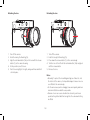
1. Turn on the exposure meter, and
2. Turn the shutter speed dial and /or the aperture setting ring (11)
on the lens – in each case in the direction indicated by the
triangular LED that is lit up – until only the circular LED is lit up.
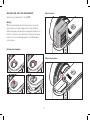
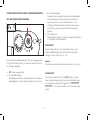
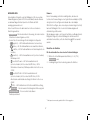
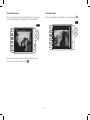
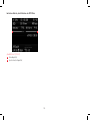
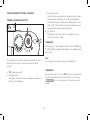
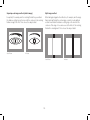
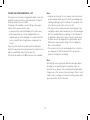
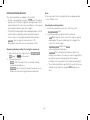
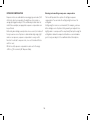
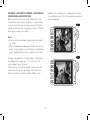
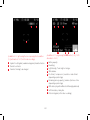
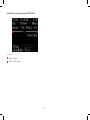
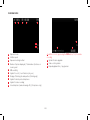
As well as the direction of rotation of the shutter speed setting dial
and aperture setting ring necessary for correct exposure, the three
LEDs in the light balance also indicate underexposure, overexposure
and correct exposure in the following way:
Underexposure by at least one aperture stop; turning to the
right is required
Underexposure by 1/2 aperture stop; turning to the right is
required
Correct exposure
Overexposure by 1/2 aperture stop; turning to the left is
required
Overexposure by at least one aperture stop; turning to the left
is required
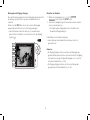
With the B setting, the shutter remains open for as long as the shutter
release button is held down (up to a maximum of 60s; depending on
the ISO setting).
In conjunction with the self-timer, a T function is also available: If B is
set and the self-timer is activated by tapping the shutter release
button (see also p. 150), the shutter opens automatically after the
selected delay time. It then remains open until you press the shutter
release button a second time – you do not need to hold the button
down. This enables you to largely prevent any blurring, even with long
exposures, by pressing the shutter release button.
In both cases, the exposure meter is disabled; after the shutter is
released however the digital display in the viewfinder counts the
elapsed exposure time in seconds, for guidance.
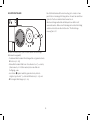
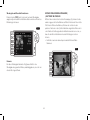
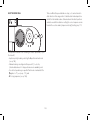
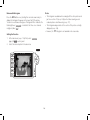
Fixed settings for slow shutter speeds
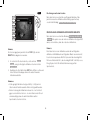
1. Hold down the focus button (3).
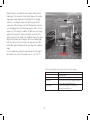
•The shutter speed sub-menu appears in the monitor. Available
shutter speeds - depending on the ISO sensitivity - are marked
in white, those that are unavailable in gray.
2. Use the setting dial or the direction pad (left/right) to select the
desired shutter speed.
•The sub-menu is displayed for a further 2s after the focus
button is released.
3. Release the shutter.
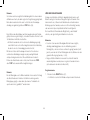
Note:
For shutter speeds slower than 2s the remaining exposure time is
counted down and displayed in seconds after the shutter release.
188