1
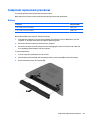
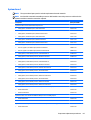
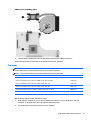
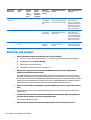
Hard drive
NOTE: The hard drive spare part kit does not include the hard drive cable or bracket.
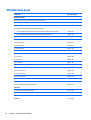
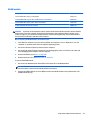
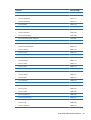
Description
Spare part number
1-GB, 5400-rpm, 2.5-in
676521-005
750-GB, 5400-rpm, 2.5-in
634250-005
500-GB, 5400-rpm, 2.5-in
669299-005
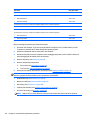
320-GB, 5400-rpm, 2.5-in (for use only in HP 250 models)
622643-005
Hard drive bracket
747117-001
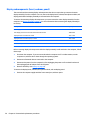
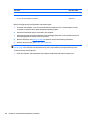
Before removing the hard drive, follow these steps:
1.
Shut down the computer. If you are unsure whether the computer is off or in Hibernation, turn the
computer on, and then shut it down through the operating system.
2.
Disconnect all external devices connected to the computer.
3.
Disconnect the power from the computer by first unplugging the power cord from the AC outlet and
then unplugging the AC adapter from the computer.
4.
Remove the battery (see Battery on page 49), and then remove the following components:
●
Service door (see Service door on page 56)
●
Top cover (see Top cover/keyboard on page 62)
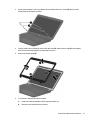
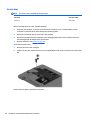
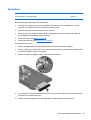
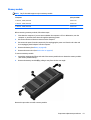
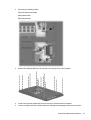
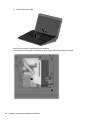
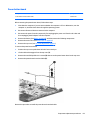
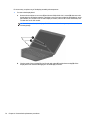
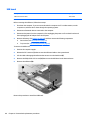
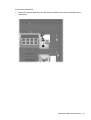
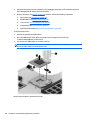
To remove the hard drive:
1.
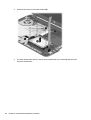
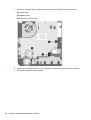
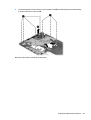
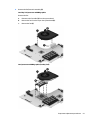
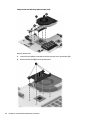
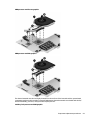
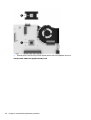
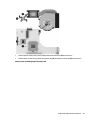
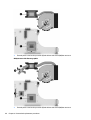
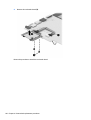
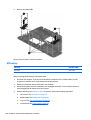
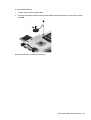
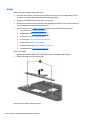
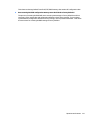
Lift the USB board cable to disengage the adhesive that secures it to the hard drive (1)
2.
Remove the three Phillips PM2.5×4.5 screws (2) that secure the hard drive to the computer.
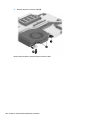
3.
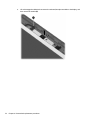
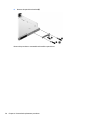
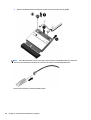
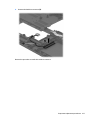
Lift the hard drive (3) to gain access to the connector.
Component replacement procedures
81