1
BLUETOOTH MUSIC SOURCE
Any paired Bluetooth device within a 30 foot (9.1 m) range of the
kmc1 can wirelessly stream music. For a Bluetooth connected
device, set the kmc1’s volume to max and adjust the volume to
the desired level using the Bluetooth streaming device.
PHONE CONVERSATIONS
You can answer/terminate or ignore a phone call from any paired
Bluetooth phone. An incoming phone call will pause music and
send your connected phone’s ring tone through the kmc1. To
answer, briefly press the UTILITY button on the kmc1. Then listen
and talk using the kmc1 as you would a speakerphone. Adjust
volume using the volume + and – buttons on the kmc1 to desired
level. Mute the kmc1’s microphone during a phone call (so the
caller cannot hear you) by briefly pressing the ON / READY and
VOLUME DOWN buttons together. Unmute the microphone by
briefly pressing the same two buttons again. Terminate the call by
briefly pressing the UTILITY button again. To ignore a call, press
and hold the UTILITY button until the incoming call stops.
PAIRING BLUETOOTH DEVICES
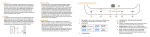
Press and hold the Bluetooth button (∞) until it flashes (~ 3 seconds).
Do not touch any other buttons on the kmc1 during this process.
Activate the Bluetooth feature on your device, setting it up to pair
with “Klipsch kmc1”. Once paired, the kmc1 will automatically select
Bluetooth as the source. We recommend following the volume
setting instructions in the Bluetooth Music Source section before
playing any music. If the last paired Bluetooth device is not available
or not playing it will automatically choose the AUX (3.5mm input) as
the source. The kmc1 can store up to 8 paired Bluetooth devices.
CARE AND CLEANING
Your kmc1 music center has a durable finish that only requires dry
dusting or cleaning with a dry cloth. Avoid the use of abrasive or
solvent-based cleaners and harsh detergents. Adhesive tape will
clean up the rubber device area. Do not rub hard. Window cleaner
and a paper towel will clean the surface well.
TROUBLESHOOTING
kmc1 will not power on
• Make sure plug adapter is secured tightly to the AC adapter
• Make sure AC adapter is plugged tightly into DC input
• Make sure AC adapter is plugged into a live outlet
• Make sure power switch is turned on
• If no AC connection make sure the battery is sufficiently
charged (POWER ON/OFF LED will dim/brighten every 5
seconds when the kmc1 is running out of battery power)
Device will not pair with Bluetooth mode
• Make sure kmc1 is in pairing mode (∞ flashing blue)
• Make sure you are within 30 feet (9.1 m) of kmc1 while pairing; move closer/make sure you are in the same room
• Make sure your volume settings are correct
Device does not play in Bluetooth mode or AUX input
• Make sure volume on device is up to maximum/kmc1 volume is up at least half way and not MUTED
• If using AUX input, make sure connections are tight
• Touch + and – buttons together to select correct input
• If ∞ solid blue touch and hold + and – together to switch inputs
The Bluetooth® word mark is a registered trademark owned by Bluetooth SIG, Inc. and any use of such mark by Klipsch Group, Inc. is under license.
The “aptX™ software is copyright CSR plc or its group companies. All rights reserved. The aptX™ mark and the aptX logo are trade marks of CSR plc
or one of its group companies and may be registered in one or more jurisdictions.
The N Mark is a trademark or registered trademark of NFC Forum, Inc. in the United States and in other countries.
Klipsch is a trademark of Klipsch Group, Inc., registered in the U.S. and other countries. All other trademarks are property of their respective owners.
Klipsch is a wholly-owned subsidiary of Voxx International Corporation. ©2012, Klipsch Group, Inc.
ANALOG MUSIC SOURCE
Any device with a standard 3.5mm headphone output can be
connected to the AUX input (on back) with a mini-to-mini cable
(included). Make sure volume on kmc1 is just above minimum,
adjust volume on your device to max and play music. Use
SOURCE SELECT to switch to AUX input if necessary. Adjust
volume with the volume buttons on the kmc1 to desired level.
ENGLISH