1
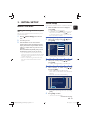
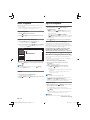
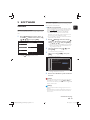
Installation Mode
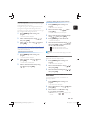
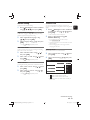
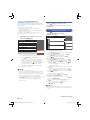
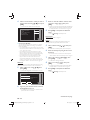
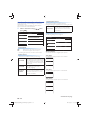
This function lets you add the channels that were not added
by “Autoprogram” due to the reception conditions during the
Initial Setup. It is only available when you select “Antenna” in
“Installation Mode”.
2.
Select “Installation Mode” using [
then press [ OK ].
3.
Select “Antenna” or “Cable” using [
then press [ OK ].
2.
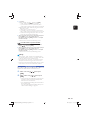
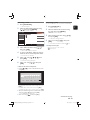
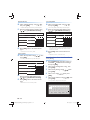
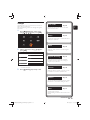
Select “Weak Channel Installation” using
[ / ], then press [ OK ].
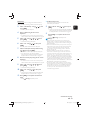
Select the Channel Input box using [ / ],
then select a channel you wish to memorize,
using [ / ].
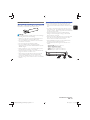
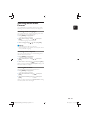
Weak Channel Installation
Cancel
▲
2CH
Search
▼
4.
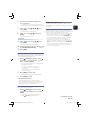
Select “Search” using [
[ OK ].
5.
“Search” will change to “Store” when the
Channel is found, then press [ OK ].
/
], then press
Note(s)
• In most cases, Digital Channels are Not Broadcast on
the RF Channel on which they appear on your TV. To
add Digital Channels you need to know the RF Channel
on which the Digital Channel is being Broadcast. (e.g. If
there is a Digital Channel 9.1 which is being Broadcast on
RF Channel 25, you need to enter 25 while performing a
Weak Channel installation.) To find out the RF Channel
on which a particular Digital Channel is being Broadcast,
please contact your Local Service provider. Installing
Digital Channels using “Weak Channel Installation” might
Not work for Direct Cable Connections and if the Digital
Signal is too weak for the TV to process.
],
/
],
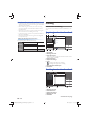
• When “Antenna” is selected, the TV detects Antenna
signals. It searches for DTV and Analog TV Channels
available in your area.
• The PIN Code will be required if you have locked
channels. Refer to ‘Child Lock’ on page 29.
3.
/
EN
Weak Channel Installation
• When “Cable” is selected, the TV detects signals
supplied by Cable. It searches for DTV and
Analog Cable Channels available in your area.
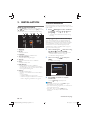
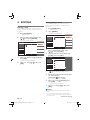
Skipping Channels
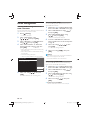
The Channels selected here will be skipped when selecting the
Channels using [ CH +/− ].
Those Channels can still be selected using [ the Number
buttons ].
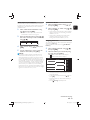
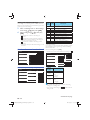
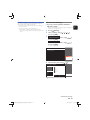
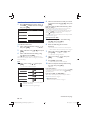
2.
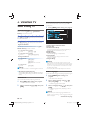
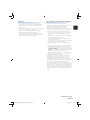
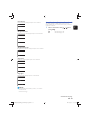
Select “Skipping Channels” using [
then press [ OK ].
3.
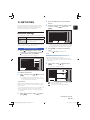
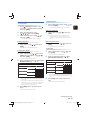
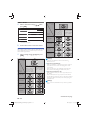
Select the Channel you wish to Skip using
[ / ], then press [ OK ].
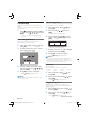
/
•
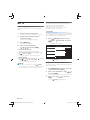
indicates that the Channel is Not Skipped.
•
indicates that the Channel is Skipped.
],
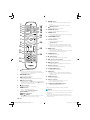
Installation
Channels
Clock
Digital Audio Language
Child Lock
Change PIN
Autoprogram
11.1 AAA
Weak Channel Installation
11.2 BBB
Installation Mode
11.3 CCC
Skipping Channels
11.4 DDD
33.1 EEE
33.2 FFF
33.5 DDD
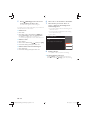
• The Skipped Channels are Not Displayed on the List
of Favorite Channels.
• To Reactivate a Skipped Channel, use [
press [ OK ].
/
] then
• Repeat Step 3 until you select All the Channels you
wish to skip.
• Press [
(home) ] Repeatedly to Exit.
Continued on next page.
EN - 27
EEC30UH_Philips_SmartDVR_v1_EN.indb 27
2013/09/13 15:38:21