1
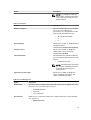
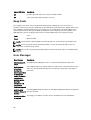
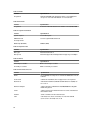
Option
Description
•
•
•
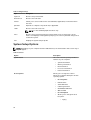
Deep Sleep Control
Allows you to define the controls when Deep Sleep is enabled.
•
•
•
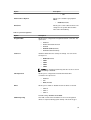
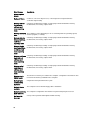
Fan Speed Control
Every Day
Weekdays
Select Days
Disabled
Enabled in S5 only
Enabled in S4 and S5 Enabled
Controls the speed of the system fan. This option is disabled by default.
NOTE: When enabled, the fan runs at full speed.
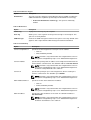
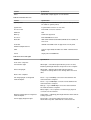
USB Wake Support
This option allows you to enable USB devices to wake the computer from
standby.
•
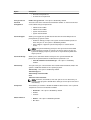
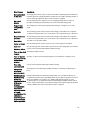
Wake on LAN
Enable USB Wake Support - This option is enabled by default.
This option allows the computer to power up from the off state when triggered
by a special LAN signal. Wake-up from the Standby state is unaffected by this
setting and must be enabled in the operating system. This feature only works
when the computer is connected to AC power supply. The options differ based
on the form factor.
•
•
•
Disabled - Does not allow the system to power on by special LAN
signals when it receives a wake-up signal from the LAN or wireless LAN.
LAN Only - Allows the system to be powered on by special LAN signals.
LAN or PXE Boot - Allows the system to be powered on by special LAN
or PXE Bootsignals. (For Ultra Small Form Factor only)
This option is Disabled by default.
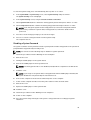
Block Sleep
Allows you to block entering to sleep (S3 state) in OS Environment.
Default Setting: Disabled
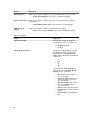
Intel Smart Connect
Technology
The option is disabled by default. If option enables will periodically sense
nearby wireless connection while the system is asleep. It will synchronize
emails or social media application that were open when system entered the
sleep state.
•
Smart Connection
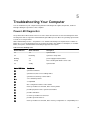
Table 9. POST Behavior
Option
Description
Numlock LED
Specifies if the NumLock function can be enabled when the system boots. This
option is enabled by default.
Keyboard Errors
Specifies whether keyboard related errors are reported when it boots. This
option is enabled by default.
38