1
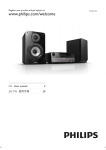
Overview of the main unit
a
b c d
e
f
g
h
q
p
o
n
m
l
i
j
k
a FM antenna
b AUDIO IN
• Connect an external audio device.
c USB charging port
• Charge a portable device (such as
your 30-pin Apple device or MP3
player etc.) through a USB cable (not
supplied).
d Power cord
e Dock for iPod/iPhone/iPad with Lightning
connection
f TUNE+/TUNE- (
/
)
• During clock setting in standby mode,
set the time format and adjust the
hour/minute.
6
EN
• During alarm setting, adjust the alarm
clock and volume, and select a sound
source.
• Tune to an FM audio station.
g OK/
• In dock mode, start or pause iPod/
iPhone/iPad play.
• In FM mode, select FM stereo or FM
mono.
• Confirm manual programming of FM
radio stations.
h PRESET +/PRESET - (
/
)
• Skip to next/previous track.
• Select a preset radio program.
• In dock mode, press and hold to fast
forward/backward.