1
Option
Description
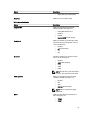
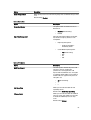
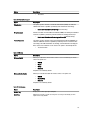
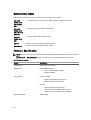
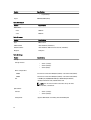
Miscellaneous Devices
Allows you enable or disable the various on
board devices. The options are:
•
•
•
•
•
•
•
•
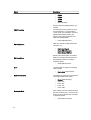
Enable Fixed Bay
Enable Microphone
Enable ExpressCard
Enable eSATA Ports
Enable Camera
Enable Hard Drive Free Fall Protection
Enable Media Card
Disable Media Card
Default Setting: The highlighted devices are
enabled.
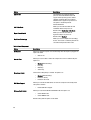
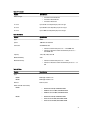
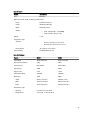
Table 4. Video
Option
Description
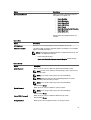
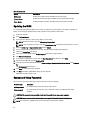
LCD Brightness
Allows you to set the panel brightness when the ambient sensor is Off.
Switchable Graphics
This option enables or disables switchable graphics technologies such as NVIDIA
Optimus and AMD Power Express .
NOTE: It should only be enabled for Windows 7/8 32/64-bit or Ubuntu OS. This
feature is not applicable to other OS.
•
•
Enable Switchable Graphics
Enable dock Display Port through Integrated Graphics (Default Setting)
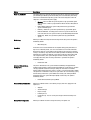
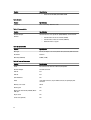
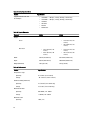
Table 5. Security
Option
Description
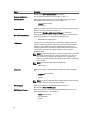
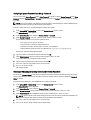
Admin Password
Allows you to set, change, or delete the administrator (admin) password.
NOTE: You must set the admin password before you set the system or hard
drive password.
NOTE: Successful password changes take effect immediately.
NOTE: Deleting the admin password automatically deletes the system
password and the hard drive password.
NOTE: Successful password changes take effect immediately.
Default Setting: Not set
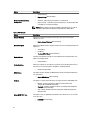
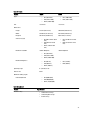
System Password
Allows you to set, change or delete the system password.
NOTE: Successful password changes take effect immediately.
Default Setting: Not set
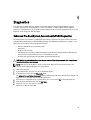
Internal HDD-0 Password
Allows you to set, change or delete the administrator password.
Default Setting: Not set
Strong Password
Allows you to enforce the option to always set strong passwords.
57