1
3
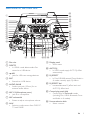
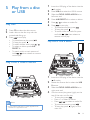
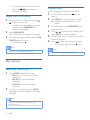
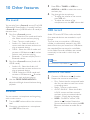
Press USB RECORD to start recording.
• For Disc mode, press USB RECORD
repeatedly to select:
A[REC ONE] (record one): the first/
current track is recorded.
B[REC ALL] (record all): all tracks/the
remaining tracks are recorded.
»» Play starts automatically from the
beginning of the disc/the selected track,
and the recording starts.
• To stop recording, press .
Note
•• If the USB device does not have enough memory to
store the audio files, a message about a full memory is
displayed.
•• This function is not available in Mix sound mode.
•• This function is not available when AUTO DJ or DJ
EFFECT effects are applied.
20
EN