1
6 Play audio
through
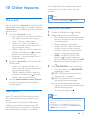
Bluetooth
The unit uses Bluetooth wireless technology to
stream music from your Bluetooth device to
the system.
Search for
devices
Note
•• Before you connect a Bluetooth device to this unit,
familiarize yourself with the Bluetooth capabilities of
the device.
•• The effective operation range between the unit and the
paired phone is approximately 10 meters (30 feet).
•• Any obstacle between the unit and the phone can
reduce the operational range.
•• Keep this unit away from other electronic devices that
may cause interference.
1
2
3
4
5
6
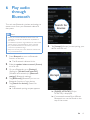
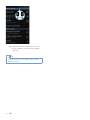
Tap [Accept] (Accept) to start pairing your
device with the unit.
Press Bluetooth to turn on Bluetooth
function of the unit.
»» The Bluetooth indicator blinks.
Slide the speaker balance control (Source)
to its far left.
On your Bluetooth, go to [Settings]
(Settings)> [Wireless and networks]
(Wireless and networks)> [Bluetooth
settings] (Bluetooth settings).
Accept
Tap [Bluetooth] (Bluetooth) to turn on
Bluetooth function of your device.
Tap [Search for devices] (Search for
devices).
»» A Bluetooth pairing request appears.
»» [PHILIPS NTRX700] (Philips
NTRX700) is displayed.
»» If connected successfully, a different
Bluetooth icon can be found on the
top of the screen.
EN
13