1
6 Other features
Set the alarm timer
You can set two alarms at different times.
Note
•• Ensure that you have set the clock correctly.
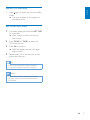
1
Press and hold AL1 or AL2.
»» The hour digits begin to blink, and you
can hear one beep.
»» [AL SET] (alarm set) flashes on the
screen.
2
Press TUNE+/TUNE- repeatedly to set
the hour.
3
Press OK to confirm.
»» The minute digits begin to blink.
»» [AL SET] (alarm set) flashes on the
screen.
4
Repeat steps 2-3 to set the minute, select
when to ring alarm, and choose alarm
sound source and alarm volume.
After alarm volume is set, the unit will exit
alarm setting, and you can hear two beeps.
Tip
•• If you select DOCK as the alarm sound source, when
there is no device docked, the alarm will automatically
switch to buzzer to ring the alarm.
•• If both alarms are set to the same time, only Alarm 1
will ring.
View the alarm settings
Press AL1 or AL2 to view alarm settings.
12
EN
Activate and deactivate the alarm
timer
When an alarm setting is shown on the screen,
press AL1/AL2 repeatedly to activate or
deactivate the timer.
»» If the timer is activated, [ AL 1] or [
AL2] is displayed.
»» If the timer is deactivated, [ AL1] or
[ AL2] disappears.
Snooze
When the alarm rings, press SNOOZE.
»» The alarm stops, and the alarm icon
flashes.
»» The alarm will resume ringing 9
minutes later.
Note
•• When using batteries to operate, alarms can only use
buzzer as sound source.
Stop alarm ring
When the alarm rings, press the corresponding
AL1 or AL2.
»» The alarm stops but the alarm settings
remain.
Tip
•• You can also press
to stop the alarm. The unit will
switch to the last selected source.
•• If you press and hold , the alarm will also be stopped,
and the unit will switch to standby mode.
•• If you do not stop the alarm, it will ring for 30 minutes.
•• When an alarm rings, it shall begin from a relative low
volume, and rise gradually to the highest alarm volume
in 90 seconds.