1
9
4. AudioLink App
4.1. Introduction
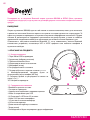
With the AudioLink app available on Apple AppStore and Google Play, you can play
your Music wirelessly and control your BeeWi headphones using your Smartphone or
tablet!
The App includes a complete music player to play, visualize, tune and share your
preferred music but you can also monitor and control your BeeWi headphones remotely
using your Smartphone.
4.2. Player functions
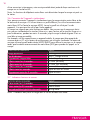
- VU meter or bar graph to visualize sound volume or frequency components (depend on
source audio volume only)
- Player window with playlist selection button, album graphics and track information.
- Player bar including shuffle, previous, play/pause, next and loop buttons
- STORE button: shortcut to your favorite Music Store
- MUTE button: to mute and un-mute the sound
- SHARE button: shortcut to available social network and messaging apps to share the
music played.
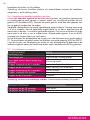
4.3. Control functions (BeeWi headphones only)
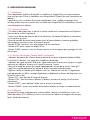
- Battery level going from 4 bars (battery full) down to 1 flashing bar (low battery). By
touching the battery indicator, a more precise battery level gauge will be displayed.
- Field meter measures the radio strength in between the source device and the
headphones. Max signal is shown with 4 bars whilst a weak signal is shown with 1 bar.
- Volume control bar to set the volume in the BeeWi playback peripheral. Note this
is additional to the source volume and allows for separate volume control for the
destination.
- 5 bands touch equalizer to tune your music. Select either one of the 10 preset
equalizations or define your own equalization by moving the frequency bars up and
down (note the audio processing is applied to the source music).
- OFF button: to switch off the headphones remotely
- LIGHT button: to witch off and on the BeeWi headphones indicator light (to be used
with care)
- AUDIO button: to route the audio back in the source device or to the destination
headphones.
- FIND ME button: send an alert tone to locate the headphones in search mode.
4.4. Preferences
Rename your device, set up and enable or disable the preferred number, chose a color
skin (iOS only), set up your ring tone and favorite music store (Android only).
ENGLISH