1
VIVOTEK
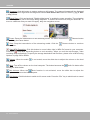
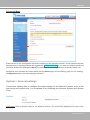
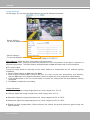
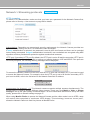
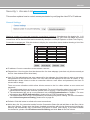
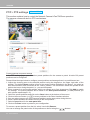
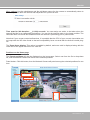
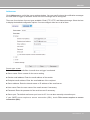
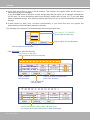
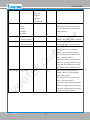
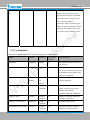
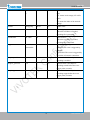
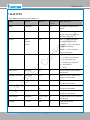
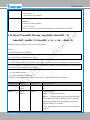
Pan /Tilt speed: Adjust the speed of Pan/ Tilt movement:
Pan speed
Tilt speed
Zoom speed
Focus speed
-5
-5
-5
-5
-4
-4
-4
-4
-3
-3
-3
-3
-2
-2
-2
-2
-1
-1
-1
-1
0
0
0
0
1
1
1
1
2
2
2
2
3
3
3
3
4
4
4
4
5
5
5
5
Slower
Faster
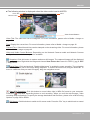
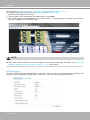
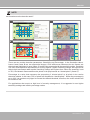
Note that mouse screen control is also supported. You can refer to page 81 for related information.
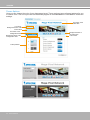
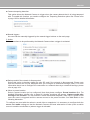
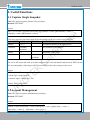
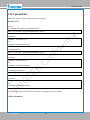
Configuration Area
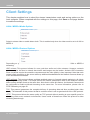
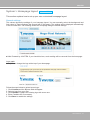
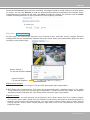
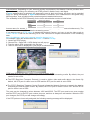
Client Settings: Click this button to access the client setting page. For more information, please refer to
Client Settings on page 27.
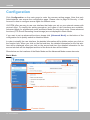
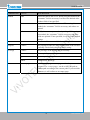
Configuration: Click this button to access the configuration page of the Network Camera. It is suggested
that a password be applied to the Network Camera so that only the administrator can configure the
Network Camera. For more information, please refer to Configuration on page 29.
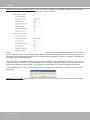
Language: Click this button to choose a language for the user interface. Language options are available
in: English, Deutsch, Español, Français, Italiano, 日本語, Português, 簡体中文, and 繁體中文. You can
also change a language on the Configuration page; please refer to page 29.
Hide Button
You can click the hide button to hide the control panel or display the control panel.
22 - User's Manual