1
VIVOTEK
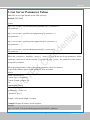
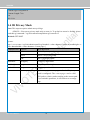
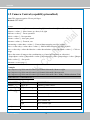
6. Set Server Parameter Values
Note: The access right depends on the URL directory.
Method: GET/POST
Syntax:
http://<servername>/cgi-bin/anonymous/setparam.cgi? <parameter>=<value>
[&<parameter>=<value>…][&return=<return page>]
http://<servername>/cgi-bin/viewer/setparam.cgi? <parameter>=<value>
[&<parameter>=<value>…][&return=<return page>]
http://<servername>/cgi-bin/operator/setparam.cgi? <parameter>=<value>
[&<parameter>=<value>…][&return=<return page>]
http://<servername>/cgi-bin/admin/setparam.cgi? <parameter>=<value>
[&<parameter>=<value>…][&return=<return page>]
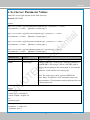
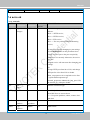
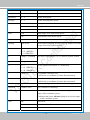
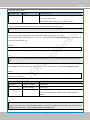
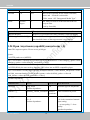
PARAMETER
VALUE
DESCRIPTION
<group>_<name> value to assigned
Assign <value> to the parameter <group>_<name>.
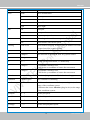
return
Redirect to the page <return page> after the parameter is
assigned. The <return page> can be a full URL path or
relative path according to the current path. If you omit this
parameter, it will redirect to an empty page.
<return page>
(Note: The return page can be a general HTML file
(.htm, .html). It cannot be a CGI command or have any
extra parameters. This parameter must be placed at the end
of the parameter list
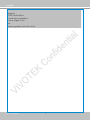
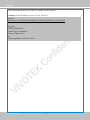
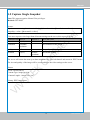
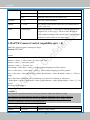
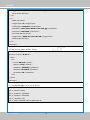
Return:
HTTP/1.0 200 OK\r\n
Content-Type: text/html\r\n
Context-Length: <length>\r\n
\r\n
<parameter pair>
where <parameter pair> is
<parameter>=<value>\r\n
[<parameter pair>]
9
User's Manual - 109