1
QUICKSTART GUIDE (ENGLISH)
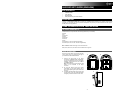
BOX CONTENTS
•
•
•
•
JUKEBOX DOCK
Power Adapter
Quickstart Guide
Safety and Warranty Information Booklet
REGISTRATION
Please go to http://www.ionaudio.com to register your JUKEBOX DOCK. Registering your product ensures that we
can keep you up-to-date with any new product developments and provide you with world-class technical support,
should you run into any problems.
USING JUKEBOX DOCK WITH YOUR iOS DEVICE
iOS DEVICE COMPATIBILITY
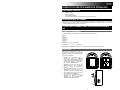
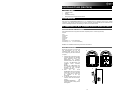
JUKEBOX DOCK is compatible with the following iOS devices (not included):
iPad 2®
iPad
iPhone 4S®
iPhone 4
iPhone 3GS
iPhone 3G
iPhone
iPod touch® (1st, 2nd, 3rd, and 4th generation)
iPod nano® (1st, 2nd, 3rd, 4th, 5th, and 6th generation)
Note: JUKEBOX DOCK will charge a connected iOS device.
iPad, iPhone, iPod touch, and iPod nano are trademarks of Apple Inc.
SETUP INSTRUCTIONS
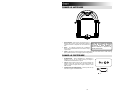
Get ready to travel back to the heyday and play
groovy tunes using your favorite music app on
your iOS device with JUKEBOX DOCK.
1.
2.
3.
1
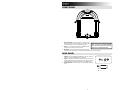
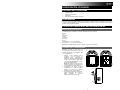
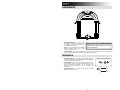
Connect your iOS device to the 30-pin
connector on JUKEBOX DOCK. Alternatively,
connect a media device such as a CD player,
tapedeck, or MP3 player to the 1/8” LINE IN
of JUKEBOX DOCK.
Note: The LINE IN can only be used if an iOS
device is not connected to the 30-pin
connector.
On your iOS device, launch your iTunes
music library or your favorite jukebox app to
play a song, adjusting the output volume from
your app.
To release the iOS device from the dock, hold
the iOS device, press the DOCK RELEASE,
and gently remove the device from the dock.
2
+
3
+
3