1
ENGLISH
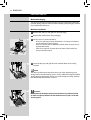
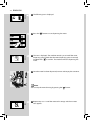
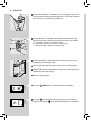
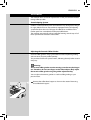
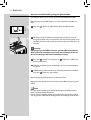
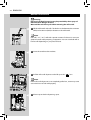
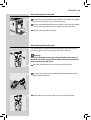
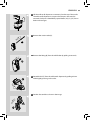
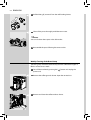
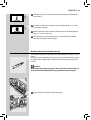
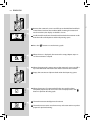
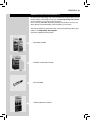
9 Remove the coffee bean hopper lid. Slowly pour the coffee beans into
the coffee bean hopper.
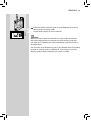
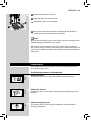
Note:
The coffee bean hopper contains a tray which vibrates during grinding.
This supports the flow of beans into the grinder.
Caution:
Only coffee beans must be put into the coffee bean hopper. Ground
coffee, instant coffee, caramelized coffee or any other object may
damage the machine.
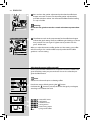
10 Put back the coffee bean hopper lid on the coffee bean hopper.
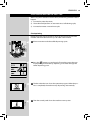
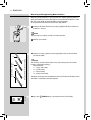
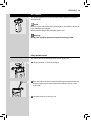
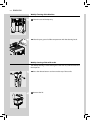
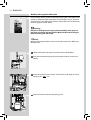
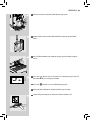
11 Insert the plug into the socket located on the back of the machine.
1
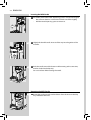
12 Insert the plug of the other end of the power cord into a wall socket
with suitable power voltage.
2
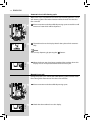
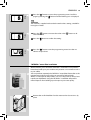
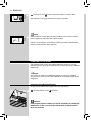
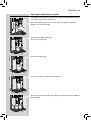
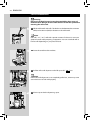
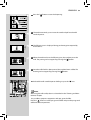
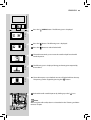
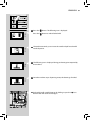
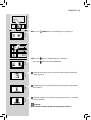
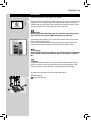
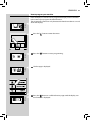
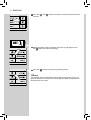
13 Switch the power button to “I” to turn on the machine. The red led next
to the “
” button blinks.
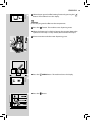
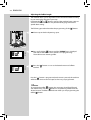
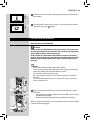
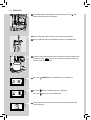
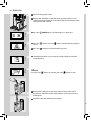
14 To turn on the machine, simply press the “
indicates that the circuit must be primed.
Yellow
12
” button. The control panel