1
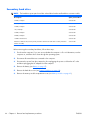
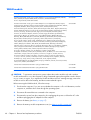
Processor
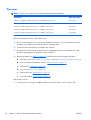
NOTE: The processor spare part kit includes replacement thermal material.
Description
Spare part number
Intel Core i7-820QM 1.73-GHz (SC turbo up to 3.06-GHz), 45-W processor
583053-001
Intel Core i7-720QM 1.60-GHz (SC turbo up to 2.80-GHz), 45-W processor
586170-001
Intel Core i5-540M 2.53-GHz (SC turbo up to 3.06-GHz), 35-W processor
594188-001
Intel Core i5-520M 2.40-GHz (SC turbo up to 2.93-GHz), 35-W processor
594187-001
Intel Core i5-430M 2.26-GHz (SC turbo up to 2.53-GHz), 35-W processor
597624-001
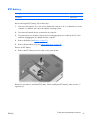
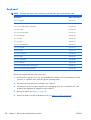
Before removing the processor, follow these steps:
1.
Shut down the computer. If you are unsure whether the computer is off or in Hibernation, turn the
computer on, and then shut it down through the operating system.
2.
Disconnect all external devices connected to the computer.
3.
Disconnect the power from the computer by first unplugging the power cord from the AC outlet
and then unplugging the AC adapter from the computer.
4.
Remove the battery (see Battery on page 37), and then remove the following components:
a.
Hard drives (see Primary hard drive on page 38 and see Secondary hard drive on page 44)
b.
memory module compartment cover (see Memory module on page 42)
c.
Keyboard (see Keyboard on page 50)
d.
Top cover (see Top cover on page 52)
e.
Optical drive (see Optical drive on page 57)
f.
System board (see System board on page 60)
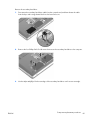
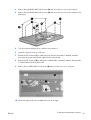
Remove the processor:
1.
66
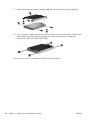
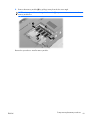
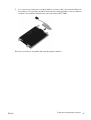
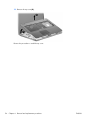
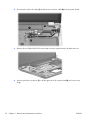
Turn the processor locking screw (1) one-half turn counterclockwise, until you hear a click.
Chapter 4 Removal and replacement procedures
ENWW