1
book.book Page 123 Friday, June 28, 2013 3:27 PM
Advanced Menu
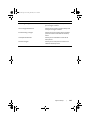
USB Emulation
Allows you to enable or disable the USB
emulation feature. This feature defines how
the BIOS, in the absence of a USB-aware
operating system, handles USB devices.
USB emulation is always enabled during
POST.
NOTE: You cannot boot any type of USB
device (floppy, hard drive, or memory key)
when this option is off.
USB Powershare
Allows you to charge USB devices when the
computer is turned off or in standby mode.
• AC Only: Charge USB devices when
connected to AC adapter only.
• AC and Battery: Charge USB devices
when connected to AC adapter and
when the computer is running on
battery.
• Disabled: Disables USB PowerShare.
USB Wake Support
Allows you to enable USB devices to wake
the computer from standby or to disable the
USB wake support feature.
NOTE: If USB Powershare is enabled, a
device connected to the USB Powershare
connector may not wake the computer.
SATA Operation
Allows you to configure the operating mode
of the integrated SATA hard drive controller.
• AHCI: SATA is configured for AHCI
mode.
• RAID: STAT is configured for RAID mode.
Adapter Warnings
Allows you to choose if the computer should
display warning messages when you use AC
adapters that are not supported by your
computer.
Enabled: BIOS will detect unsupported AC
adapters and display an error on the screen.
Function Key Behavior
Allows you to set function key or
multimedia key as the default function key
behavior.
Touchpad Backlight
Allows you to set the touchpad backlight to
be on or in auto mode.
System Setup
|
123











































![Installation Manual [PDF 4.5 MB]](http://vs1.manualzilla.com/store/data/006015434_1-ce7820bb28fcf7009371ad2b801d28aa-150x150.png)