1
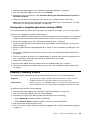
Note: If a program icon in the Lenovo ThinkVantage Tools program navigation window is dimmed, it
indicates that you need to install the program manually. To install the program manually, double-click the
program icon. Then, follow the instructions on the screen. When the installation process completes, the
program icon will be activated.
Table 1. Programs in the Lenovo ThinkVantage Tools program
Program
Icon name
Communications Utility
Web Conferencing
Fingerprint Software
Fingerprint Reader
Lenovo Solution Center
System Health and Diagnostics
Password Manager
Password Vault
Power Manager
Power Controls
Recovery Media
Factory Recovery Disks
Rescue and
Recovery®
Enhanced Backup and Restore
SimpleTap
SimpleTap
System Update
Update and Drivers
View Management Utility
Screen Layout
Note: Depending on your computer model, some of the programs might not be available.
Accessing Lenovo programs from Control Panel
To access Lenovo programs from Control Panel, click Start ➙ Control Panel. Then depending on the
program you want to access, click the corresponding section and then click the corresponding green text.
Note: If you do not find the program you need in Control Panel, open the Lenovo ThinkVantage Tools
program navigation window and double-click the dimmed icon to install the program you need. Then,
follow the instructions on the screen. When the installation process completes, the program icon will be
activated, and you can find the program in Control Panel.
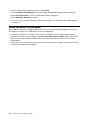
The programs and the corresponding sections and green texts in Control Panel are listed in the following
table.
Table 2. Programs in Control Panel
Program
Control Panel section
Green text in Control Panel
Communications Utility
Hardware and Sound
Lenovo - Web Conferencing
Fingerprint Software
System and Security
Hardware and Sound
Lenovo - Fingerprint Reader
Lenovo Solution Center
System and Security
Lenovo - System Health and
Diagnostics
Password Manager
System and Security
User Accounts and Family Safety
Lenovo - Password Vault
Power Manager
Hardware and Sound
System and Security
Lenovo - Power Controls
Recovery Media
System and Security
Lenovo - Factory Recovery Disks
Rescue and Recovery
System and Security
Lenovo - Enhanced Backup and
Restore
SimpleTap
Programs
Lenovo’s SimpleTap
6
ThinkCentre M83, M93/p User Guide