1
2 | ENGLISH
EM6250 – Easy pro view IP camera
Table of contents
1.0 Introduction ........................................................................................................... 4
1.1 Packaging contents ........................................................................................... 4
1.2 Requirements to access the camera. ................................................................. 4
1.3 Major hardware components. ............................................................................ 4
2.0 Installing the camera ............................................................................................. 6
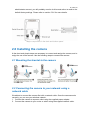
2.1 Mounting the bracket to the camera................................................................... 6
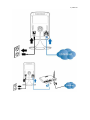
2.2 Connecting the camera to your network using a network cable .......................... 6
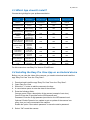
2.3 Which App should I install? ................................................................................ 8
2.4 Installing the Easy Pro View App on an Android device ..................................... 8
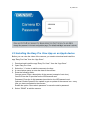
2.5 Installing the Easy Pro View App on an Apple device ........................................ 9
2.6 Installing the software and camera on a PC or notebook (Windows). ............... 11
2.7 Adding the camera to a wireless network ......................................................... 13
2.7.1 Connecting to Wi-Fi using the WPS button. ...............................................13
2.7.2 Connecting to Wi-Fi using the PC (windows). ............................................13
2.7.3 Connecting to Wi-Fi using the App. ............................................................13
2.8 Mounting the camera on the wall or ceiling ...................................................... 14
3.0 Viewing images ................................................................................................... 14
3.1 On your smartphone/tablet (Android, iPhone, iPad) ......................................... 14
3.2 On your PC (Windows) in a remote location. ................................................... 14
3.3 Alarm-notification recording (micro SD-Card) ................................................... 15
3.4 Via the Internet using the web portal ................................................................ 15
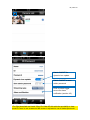
4.0 Easy Pro View for iPhone/iPad/Android ............................................................... 16
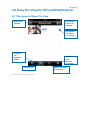
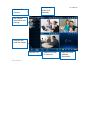
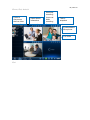
4.1 The Layout of Easy Pro View........................................................................... 16
4.2 See the live video ............................................................................................ 18
4.3 Delete camera ................................................................................................. 20
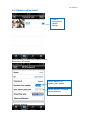
4.4 Camera adjustment ......................................................................................... 21
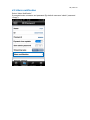
4.5 Alarm notification ............................................................................................. 22
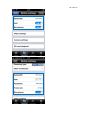
4.6 Stream settings................................................................................................ 24
4.7 Video settings .................................................................................................. 26
4.7.1 Video .........................................................................................................27
4.7.2 Control.......................................................................................................28
4.7.3 Night mode control ....................................................................................29
4.7.4 Camera info ...............................................................................................32
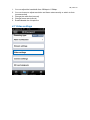
4.8 Camera Settings .............................................................................................. 33
4.8.1 Information ................................................................................................34
4.8.2 Network .....................................................................................................35
4.8.3 Schedule ...................................................................................................40
4.9 Admin .............................................................................................................. 48
4.9.1 Date/time ...................................................................................................49
4.9.2 Upgrade ....................................................................................................50
4.9.3 Reboot.......................................................................................................51