1
Radio
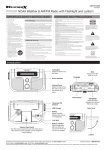
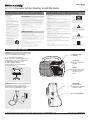
Playing the AM/FM Radio
Weatherband
Playing Weatherband
3.5 mm Audio Input
Using the Audio Input
1.
Adjust AM/FM/WB switch to the AM or
FM position.
1.
Adjust AM/FM/WB switch to the WB
position.
Requires a 3.5mm audio cable (not included).
2.
Turn the Volume dial to turn on the radio
and adjust to the desired volume.
2.
Turn the Volume dial to turn on the radio
and adjust to the desired volume.
1.
3.
Adjust the Tuning dial to tune the radio.
3.
Adjust the Tuning dial to tune one of the
indicated weatherband frequencies.
Connect a 3.5mm audio cable to the
3.5mm Audio Input and the audio output
on an MP3 player or other audio device.
2.
For a list of which areas receive which
frequency, visit http://www.weather.gov/
nwr/nwrbro.htm.
Turn the Volume dial to power the unit on
and adjust to the desired volume.
3.
Use the native controls on the connected
MP3 player or other audio source to play
your audio through the unit.
Radio Reception
1.
Adjust the position of the Telescopic FM
Antenna to improve FM radio reception.
An AM antenna is built into the unit. To
improve AM radio reception, adjust the
position of the unit.
When not in use, make sure to disconnect
the 3.5mm audio cable (not included).
International Support
To download this User’s Guide in English,
Spanish, or French, or to get answers
to frequently asked questions, visit the
support section at: www.weather-x.com
Para descargar este Manual del Usuario en
inglés, español y francés, o para obtener
respuestas a preguntas frecuentes, visite la
sección de apoyo en www.weather-x.com
For Warranty Information and the most up-to-date version of this User’s Guide, go to www.weather-x.com
Email Support: [email protected], Email Parts: [email protected]
Pour télécharger ce guide de l’utilisateur
en anglais, espagnol ou français, ou pour
obtenir des réponses à des questions
fréquemment posées, consultez la rubrique
d’assistance sur www.weather-x.com
Customer Service: 1-888-999-4215
Copyright © 2012 Digital Products International (DPI, Inc.) All other trademarks appearing herein are the property of their respective owners. Specifications are subject to change without notice.