1
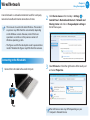
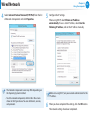
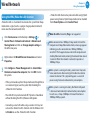
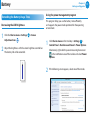
Wired Network ᯲ Chapter 3. Using the computer ᰆ⊹ A wired network is a network environment used for a company network or broadband internet connection at home. •• This manual is based on the latest Windows. The content or pictures may differ from the actual model, depending on the Windows version. However, most of the basic operations are similar as in the previous versions of Windows operating system. Click Charms menu on the Desktop > Settings > 2 Control Panel > Network and Internet > Network and ᖅᱶ Sharing Center and click on Change adapter settings in the left menu pane. •• The figures used for the description are of a representative model. Therefore the figures may differ from the real ones. Connecting to the Wired LAN 1 Connect the LAN cable to the wired LAN port. Ethenet and click the right button of the touch pad 3 Select and select Properties. The LAN Device name may differ depending on your computer’s Network Device. 63