1
EN
Welcome to the quickguide.
Penclic Numpad™ combines ergonomically sound design with
modern keyboard technology to bring you comfort and efficiency.
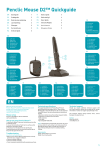
Getting started Penclic Numpad™
Technical specifications
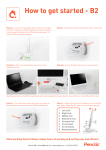
1. Remove the inner packaging from the box.
The supported platforms for Penclic Numpad™ are all
operating systems that support HID 1.1. These include
Windows XP or later, Mac OSX version 10.1 or later and
most Linux/BSD flavours. No extra software/driver
installation is needed.
2. Enjoy your new box!
3. Insert the USB cable into a USB port.
How to use your Penclic Numpad™
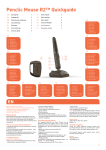
While the NumLock is activated all keys will have their primary function. Turn it
off to activate the alternative functions described below.
The NumLock key on the Penclic Numpad™ is separate from the normal computer
NumLock. This allows you to use the Penclic Numpad™ with laptops and reduced
size keyboards. Top row functions ( ) = only works in Windows.
• U SB Connection.
• M AC operating systems do not support all the special
functions.
Measurements
Height: 6 mm (25 mm at top), base: 87 x 162 mm.
Weight: 100 g.
Troubleshooting
www.penclic.se/troubleshooting
SE
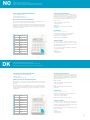
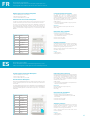
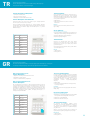
Key
Function
1
End
2
Down Arrow
3
Page Down
4
Left Arrow
6
Right Arrow
7
Home
8
Up Arrow
9
Page Up
0
Insert
.
Delete
• Make sure the Penclic Numpad™ USB connector is
firmly attached to the computer’s USB port.
• C onnect to another USB port.
• C onnect to another computer.
Technical support
Should you require additional technical support with your
Penclic ®, please use our Web site (www.penclic.se) for
further information or contact our support group through
e-mail.
Call Technical Support during business hours, Central
European time (CET).
Contact
+ 46 8 544 98 995
[email protected]
Välkommen till snabbguiden.
Penclic Numpad™ kombinerar ergonomisk design med modern
tangentbordsteknologi för bekväm och effektiv användning.
Komma igång med Penclic Numpad™
Tekniska specifikationer
1. Ta ut emballaget ur förpackningen.
De plattformar som stöds för Penclic Numpad™ är
samtliga operativsystem med stöd för HID 1.1. Bland dessa
finns Windows XP eller senare, Mac OSX version 10.1 eller
senare och de flesta Linux/BSD-versioner. Inga extra
program/drivrutiner behövs.
2. Varsågod - en ny låda!
3. Anslut USB-kabeln till en USB-port.
Så använder du Penclic Numpad™
Med NumLock aktiverat har alla tangenter sin primära funktion. Stäng av
NumLock om du vill aktivera de alternativa funktioner som beskrivs nedan.
NumLock-tangenten på Penclic Numpad™ är separerad från datorns vanliga
NumLock-tangent. Det innebär att du kan använda Penclic Numpad™ tillsammans
med bärbara datorer och mindre tangentbord. Funktioner på översta raden ( ) =
fungerar endast i Windows.
• U SB-anslutning.
• A lla specialfunktioner stöds inte av operativsystem för
MAC.
Mått
Höjd: 6 mm (25 mm högst upp), bas: 87 x 162 mm.
Vikt: 100 g.
Felsökning
www.penclic.se/troubleshooting
Tangent
Funktion
1
End
2
Nedåtpil
3
Page Down
4
Vänsterpil
6
Högerpil
7
Home
8
Uppåtpil
9
Page Up
0
Insert
.
Delete
• Kontrollera att USB-mottagaren för Penclic Numpad™
är ordentligt ansluten till datorns USB-port.
• A nslut Penclic Numpad™ till en annan USB-port.
• A nslut Penclic Numpad™ till en annan dator.
Teknisk support
Om du behöver ytterligare teknisk support för din
Penclic ®, kan du få mer information genom att besöka
vår webbsida (www.penclic.se) eller kontakta vår
supportgrupp via e-post.
Ring teknisk support på kontorstid, centraleuropeisk tid
(CET).
Kontakt
+ 46 8 544 98 995
[email protected]
2