1
ENGLISH
Preparations
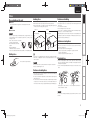
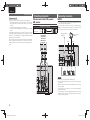
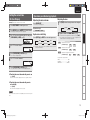
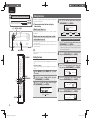
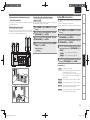
When the USB memory device or iPod is connected to the USB
port on this unit, the input source automatically switches to
“iPod/USB” and file playback begins.
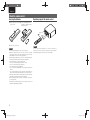
Press ON/STANDBY again.
NOTE
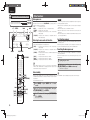
When there are multiple folders containing MP3 or WMA files, the
playback order of folders is automatically set when this unit reads the
media. The files in each folder are played back in the order in which
the files were recorded on the media, from the oldest date and time.
n Portable audio player playback (vpage 24)
n USB memory device playback (vpage 25)
n iPod® playback (vpage 23)
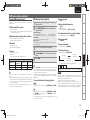
n Playback order of folders
CD-R/CD-RW
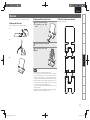
For playback of files on CD-R or CD-RW , files in all folders on the first
layer are played first, next on the second layer, then next on the third
layer, and so on in this order.
USB memory device
For playback of files recorded on USB, files in the first folder on the
first layer are played first, next folders on the second layer in the folder,
then next on the third layer, and so on in this order. Then accordingly
files on another first layer are played.
NOTE
MP3 and WMA formats
CD-R and CD-RW discs created in the format described below can
be played.
n Writing software format
ISO9660 level 1
When written in other formats, it may not be possible to play the
disc properly.
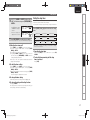
n Maximum number of playable files and folders
Number of files : 255
Number of folders : 255
n File format
Troubleshooting
The playback order may differ from the order in which the folders
or files were recorded if you delete or add a folder or file on USB.
This occurs because of data recording specifications and is not a
malfunction.
“Windows Media” and “Windows” are registered trademarks or
trademarks in the United States and other countries of Microsoft
Corporation of the United States.
Explanation terms
• The playback order displayed on a PC may differ from the actual
playback order.
• The playback order with a CD-R/CD-RW may differ, depending on
the writing software.
There are many music distribution sites on the Internet allowing you
to download music files in MP3 or WMA (Windows Media® Audio)
format. The music (files) downloaded from such sites can be stored
on CD-R or CD-RW discs and played on this unit.
Advanced Operations
• Be sure to stop playback before turning the power off.
• Marantz will accept no responsibility whatsoever for any loss of iPod
data.
• Depending on the type of iPod and the software version, some
functions may not operate.
This section explains how to playback MP3 and WMA files
that are recorded onto a CD-R or CD-RW. For details on how to
playback files recorded onto media other than CD-R or CD-RW,
see the following sections.
Advanced Connections
n Turning the power off (to the standby mode)
MP3 or WMA playback order of MP3 or
WMA files
Basic Operations
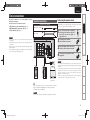
1 Press ON/STANDBY.
USB memory device or iPod connection
2 Connect
cable.
MP3 and WMA files playback
Basic Connections
Before playing a USB or an iPod
Getting Started
Advanced Operations
MPEG-1 Audio Layer-3
WMA (Windows Media Audio)
Specifications
Index
21
1.M-CR503N_ENG_4th_0610.indd 21
2010/06/11 18:24:20