1
SoundDock sII.book Page 7 Thursday, December 16, 2010 1:48 PM
English
TAB 2
TAB 3
TAB 4
TAB 5
TAB 6
TAB 7
TAB 8
SOUNDDOCK® SERIES II DIGITAL MUSIC SYSTEM
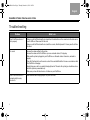
Problem
What to do
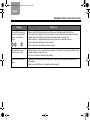
Your iPod/iPhone does not
respond to the SoundDock®
remote control buttons
shown:
• Remove your iPod/iPhone from the dock, wait five seconds, then firmly reseat the iPod/iPhone.
• Try the remote from a different location. If it works there, check for interference from bright room lights or
sunlight. Wipe off the small lens on the front end of the remote with a clean, dry cloth.
• Make sure there is a clear pathway between the remote lens and your SoundDock system.
• Remove and reinsert the battery as shown on page 5.
• Replace the remote control battery as shown on page 5.
Your SoundDock does not
respond to any controls
• Unplug the power cord for one minute, then plug it back in. This resets the system (you should hear a tone
when the system is powered back on).
• Contact your local Bose® dealer about the problem.
Your iPod/iPhone does not
charge
• Remove your iPod/iPhone from the dock and check for any connection obstructions. Reseat the iPod/
iPhone firmly.
• Make sure your iPod/iPhone is a compatible model (see page 9).
7