1
19
Making the most of your
mobile ..................................
19.1 PC suite
You can download PC Suite for free from the website (www.
alcatelonetouch.com). The PC suite includes:
• Backup/restore
You can backup the important data in your mobile and restore them
when needed.
19.2 One Touch Upgrade
Using One Touch Upgrade tool you can update your phone’s software
from your PC.
Download One Touch Upgrade from ALCATEL website (www.
alcatelonetouch.com) and install it on your PC. Launch the tool and
update your phone by following the step by step instructions (refer to the
User Guide provided together with the tool).
Your phone’s software will now have the latest software.
All personal information will be permanently lost following the
update process. We recommend you backup your personal data
using PC Suite before upgrading.
• GPRS modem
Use your mobile phone to connect PC to the internet.
• Multimedia Personalization
Customize your mobile with images, animations and melodies.
Supported Operating Systems
Windows XP/Vista/Windows 7.
• Messages
You can compose SMS/MMS easily on your PC and transfer them to your
phone.
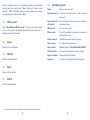
19.3 Webcam (1)
Supported Operating Systems
Windows XP/Vista/Windows 7.
You can use your phone as a webcam for instant messaging on your PC.
• Connect your phone to PC via USB cable.
• Go to "My computer" folder on your PC and find USB video device
(Under Scanners & Cameras).
(1)
79
The using of webcam may vary according to the operating system of your
PC.
80